Senior DevOps Engineer
Aamir has hands-on experience across AWS, Kubernetes, Terraform, Docker, and Python, with a strong foundation in cloud infrastructure, automation, and container orchestration.

19 Mar, 2026 | 4 Min read

When you run Kubernetes clusters on AWS, one of the biggest operational challenges is handling unexpected Amazon EC2 instance interruptions, whether caused by Spot instance interruptions, maintenance events, or Auto Scaling Group (ASG) scale-ins.
Without proper handling, workloads can be cut off mid-flight, leading to failed requests, degraded performance, or even downtime.
Enter the AWS Node Termination Handler (NTH), an open-source project by AWS that makes AWS EC2 interruptions graceful, predictable, and Kubernetes-native.
The AWS Node Termination Handler is a Kubernetes component that listens for AWS events like instance terminations or maintenance notices and ensures the node is cordoned and drained before shutdown.
That means:
Note: NTH is mainly needed for self-managed node groups (Amazon EC2-based). For Amazon EKS managed node groups, AWS automatically handles some termination behaviors, though NTH can still enhance observability and handling in edge cases.
NTH listens for AWS events such as:
NTH can run in two distinct modes, and you must choose only one at a time.
This mode runs as a DaemonSet, with one pod on every node. It polls the Instance Metadata Service (IMDS) for signals like:
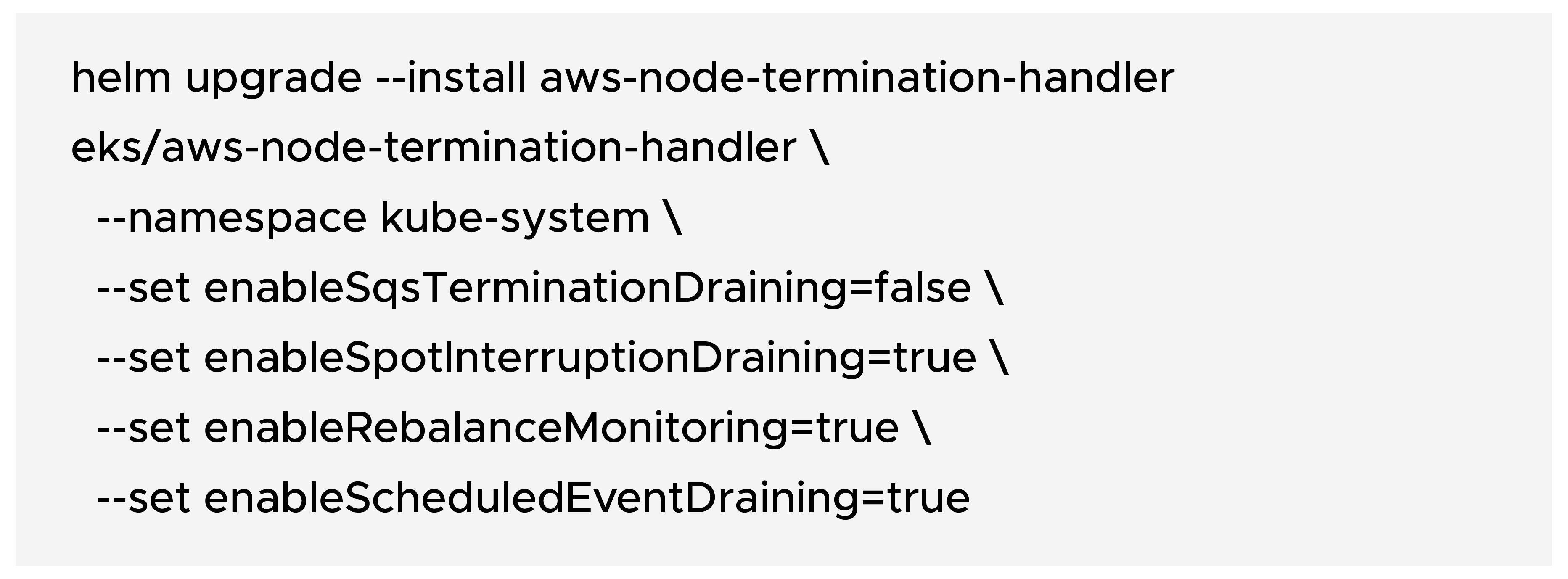
This mode runs as a centralized Deployment that consumes events from Amazon EventBridge → Amazon SQS.
It listens for all the events IMDS mode handles, plus a few more:
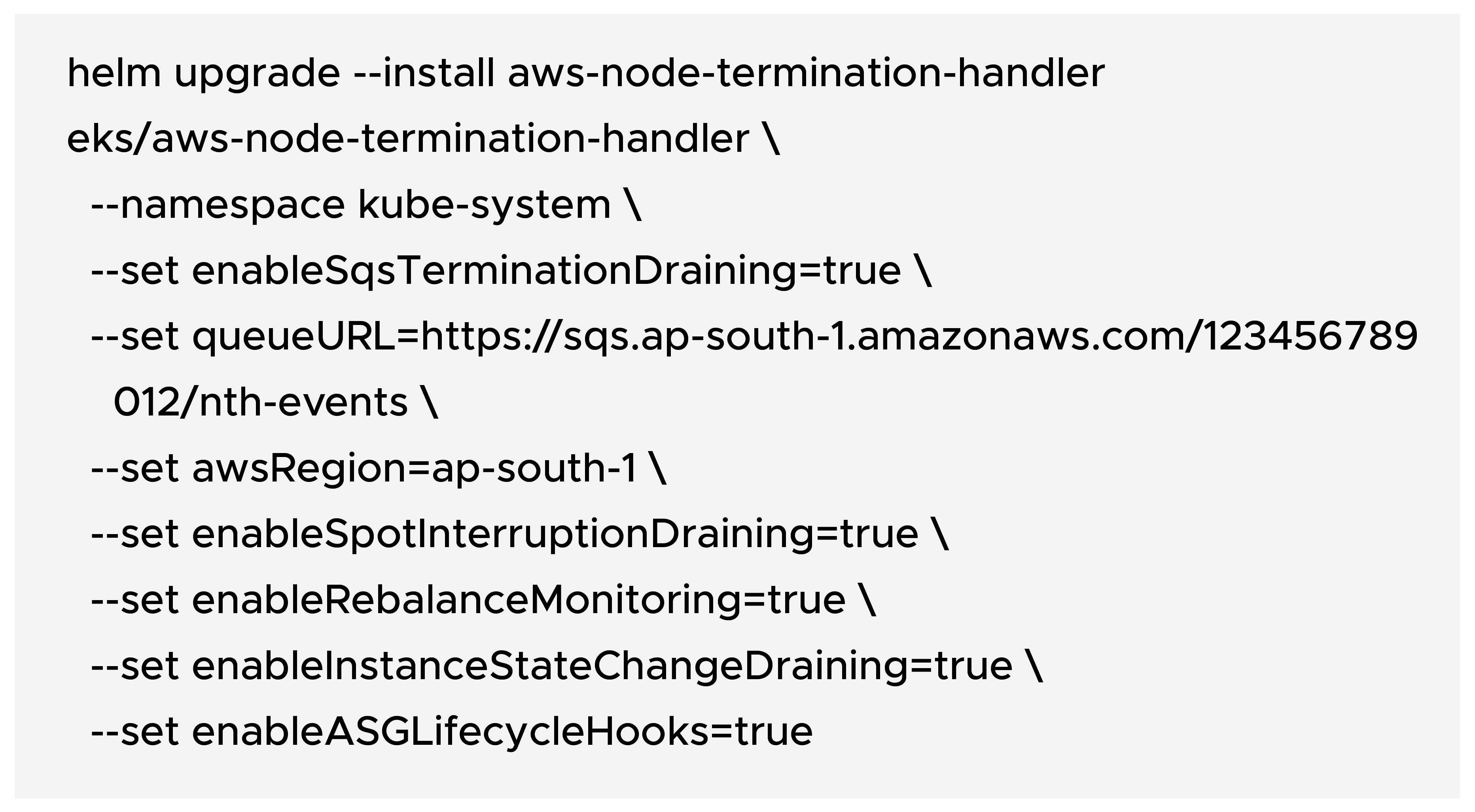
Best practice: If enableSqsTerminationDraining=true, do not enable IMDS draining in the same release. Choose one mode only.
When ASG scale-in starts, the instance moves into the Terminating:Wait state.
Normally, you get a few minutes (default 300s) before it’s forcibly terminated.
In Queue mode, NTH can send lifecycle heartbeats (RecordLifecycleActionHeartbeat) that keep the instance in WAIT state, up to 48 hours total, letting long-running Pods finish cleanly.
Use cases:
Note: Heartbeat interval must be shorter than the ASG lifecycle hook timeout. If heartbeats stop or draining completes, AWS proceeds with termination.
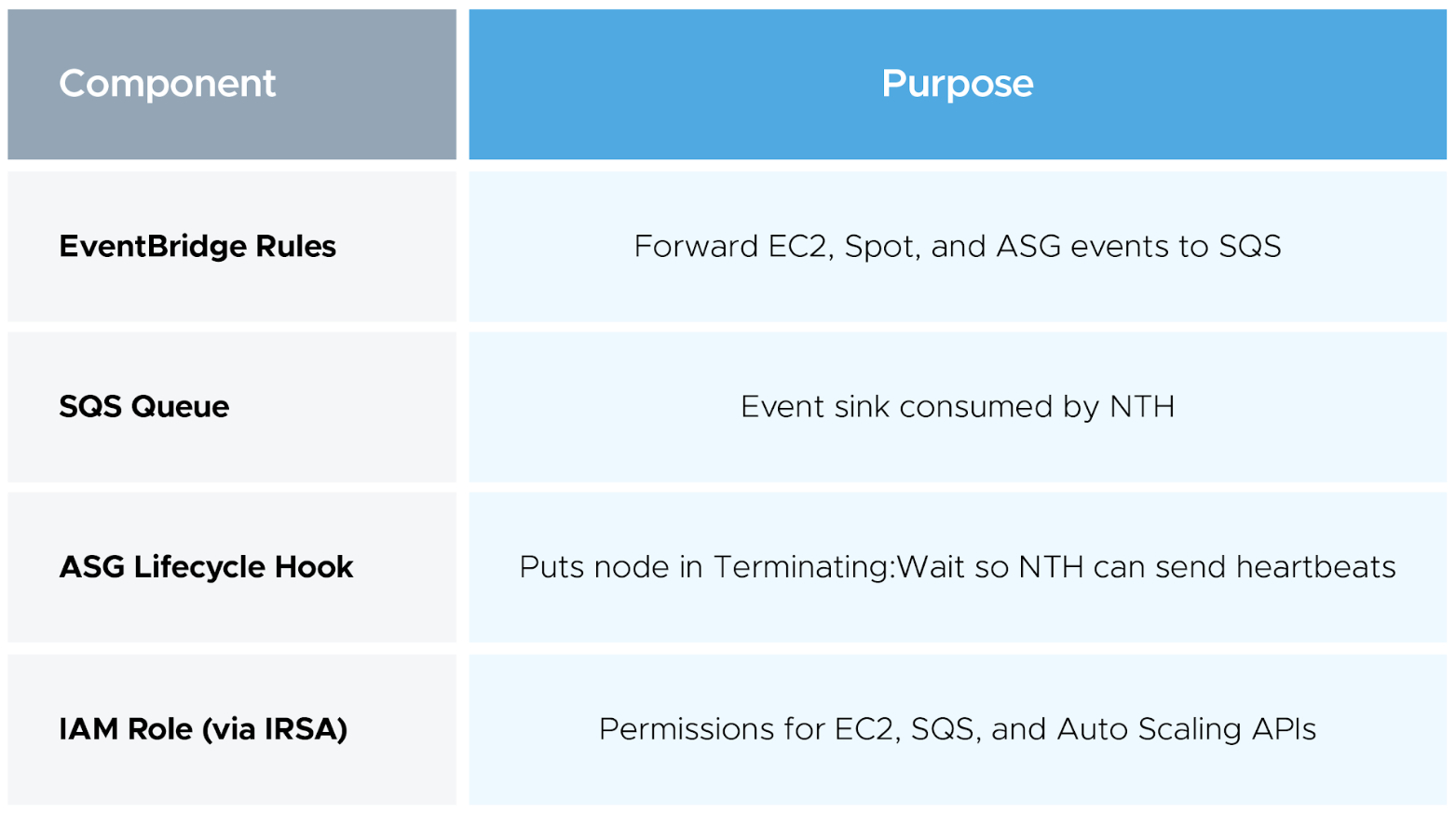
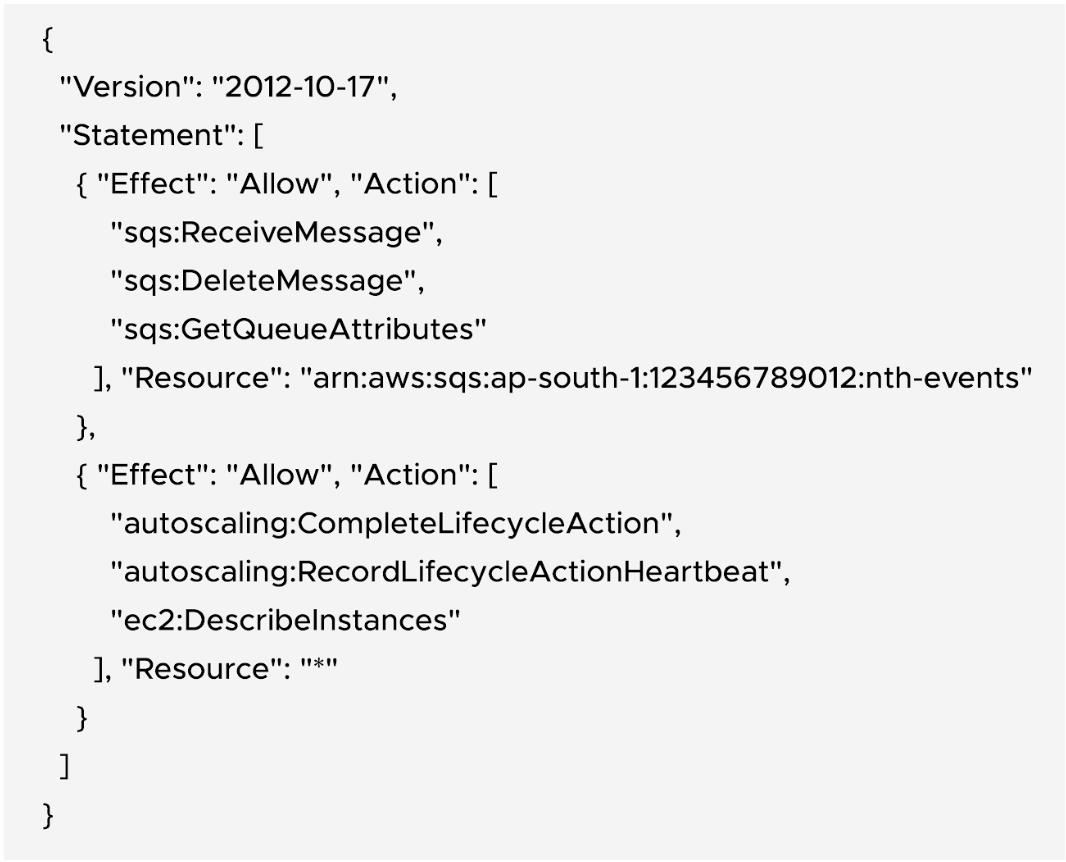
NTH emits metrics you can scrape using Prometheus Operator:
Depending on your deployment:
Also, NTH can emit Kubernetes Events (PreDrain, NodeDraining, PostDrain) for audit visibility.
Let’s validate your setup:
You should see:
a) Node cordoned
b) Pods draining gracefully
c) Termination completed cleanly
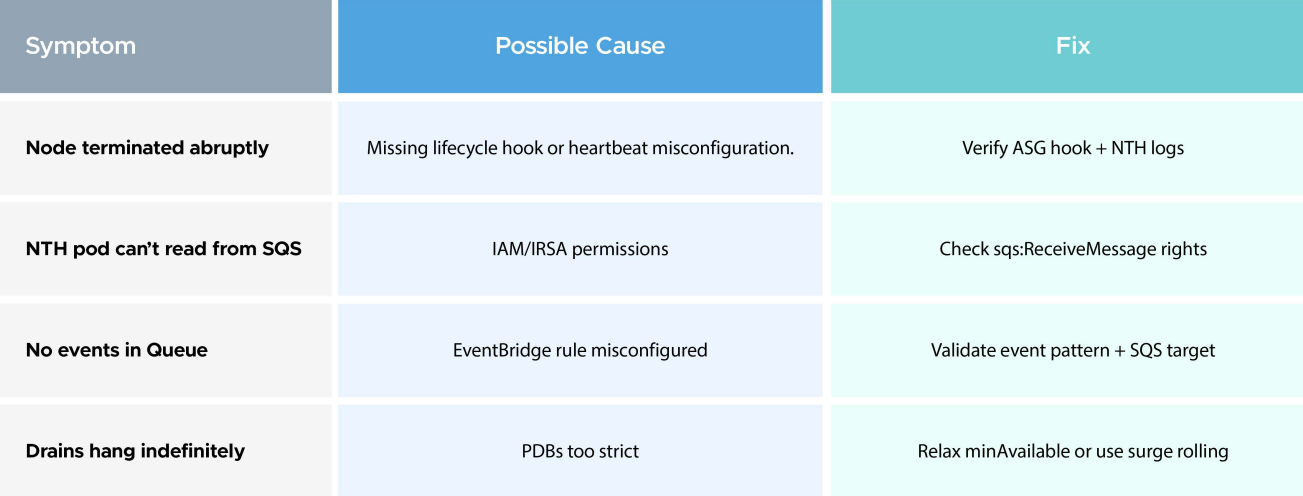
Running Kubernetes on AWS means dealing with ephemeral infrastructure.
By default, Amazon EC2 interruptions are abrupt — but with AWS Node Termination Handler, you can make them graceful and predictable.
If you’re running Amazon EC2 Spot Instances, using AWS Auto Scaling Groups, or operating in environments where graceful shutdown matters, NTH should be a must-have component in your cluster.

99% of companies saved up to 15% monthly with this plan & achieved peak performance.