DevOps Engineer
Kanishka specializes in Google Cloud Platform (GCP) and architecting automation solutions that simplify, scale, and secure cloud workloads.


Many organizations assume Cloud Logging costs are driven solely by the logs they generate. However, as cloud environments scale, logging expenses often increase due to hidden costs associated with log ingestion, storage, and retention.
Without proper GCP infrastructure visibility, organizations can end up paying for excessive log volumes, unnecessary storage, and over-retained data. Understanding these cost drivers is essential for optimizing logging spend while maintaining operational and security visibility.
Cloud Logging costs are primarily driven by three components:
GCP Cloud Logging charges for all ingested billable log data, not just application logs. Google provides a 50 GiB free ingestion allowance per project per month, but charges apply once this limit is exceeded
"I only pay for the logs generated by my application."
Cloud Logging charges for all ingested billable log data, not just application logs.
For example, a Google Compute Engine VM may generate:
As infrastructure grows, these additional log sources can significantly increase ingestion costs.
You can add a Cloud Billing Export query before the Log Analytics query to identify the actual ingestion cost.
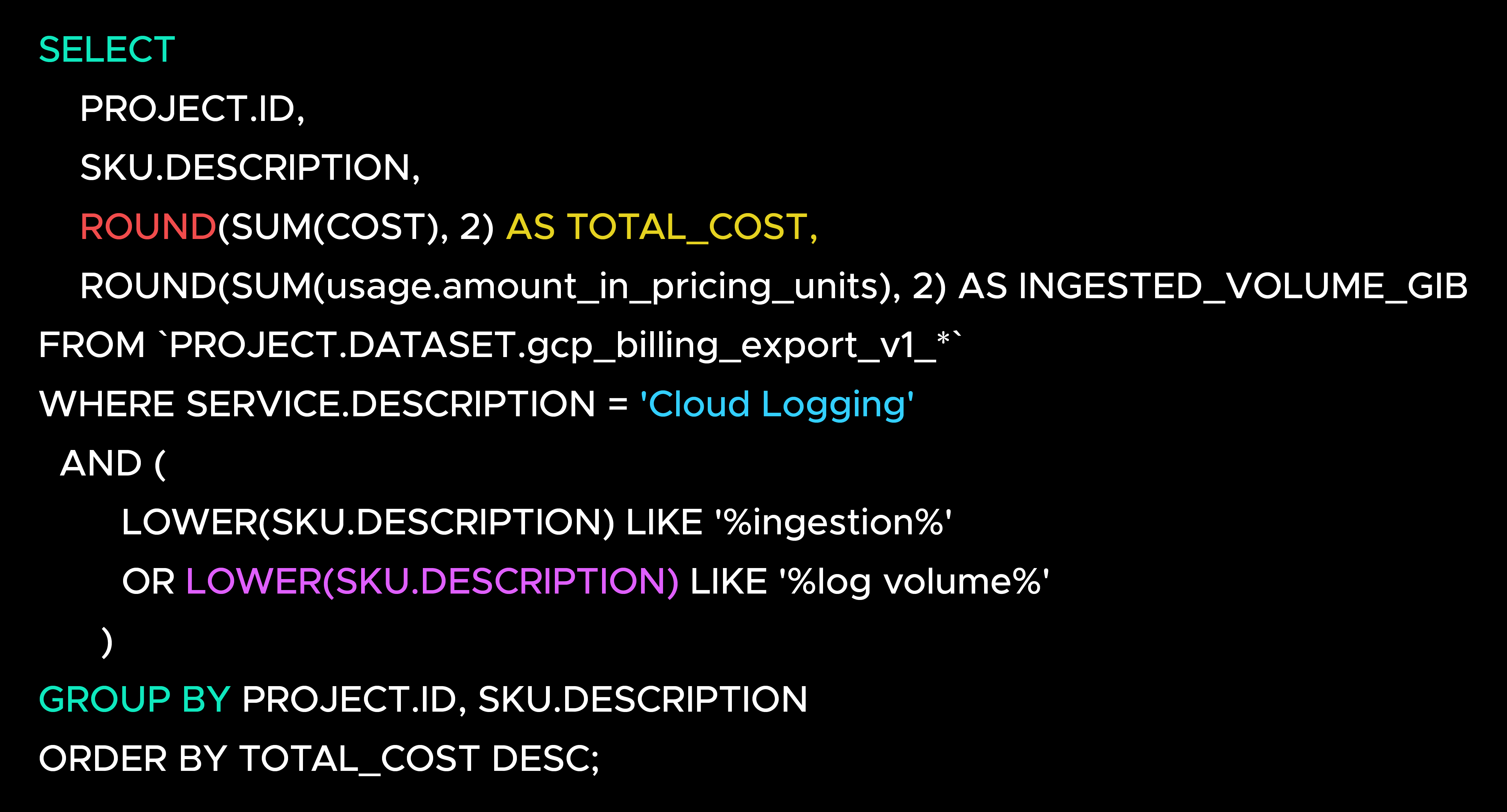
This query identifies the Cloud Logging ingestion-related SKUs that contribute to your logging bill and shows both the associated cost and the ingested log volume.
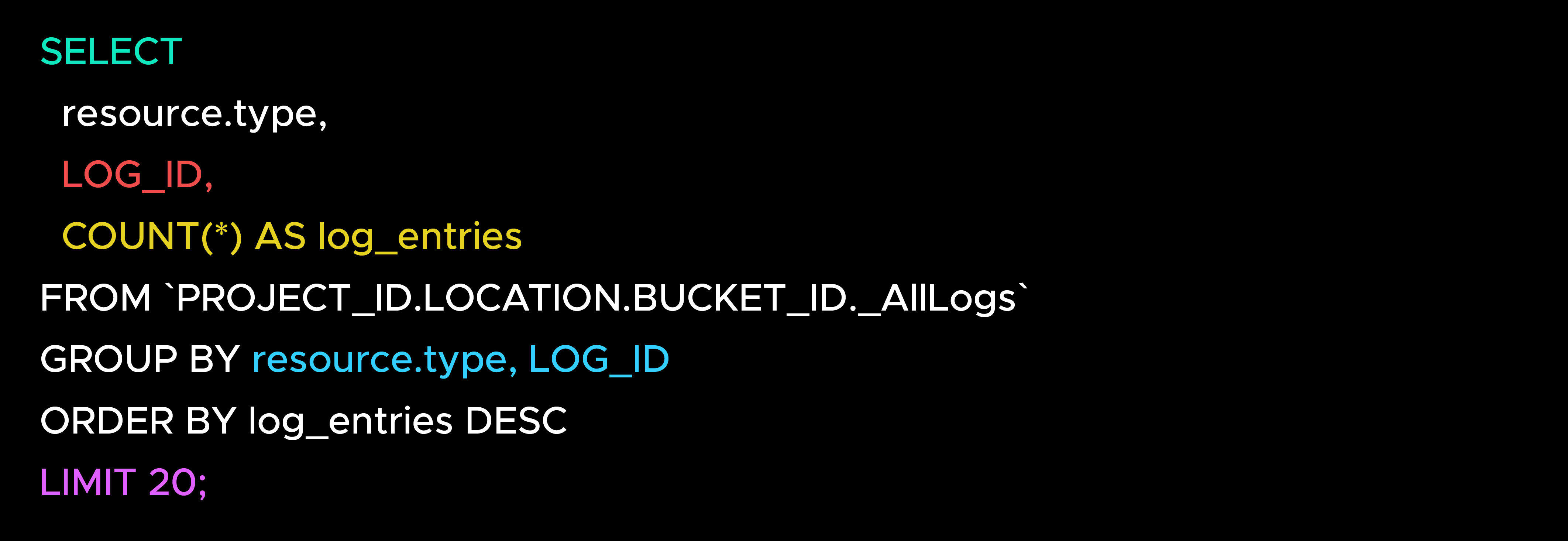
This query helps identify which resources and log streams are generating the highest volume of log entries. While it does not directly calculate costs, it helps pinpoint the sources driving ingestion charges.
Example exclusion filter:

The objective is not to collect fewer logs, but to collect the right logs.
After ingestion, logs are stored in Cloud Logging buckets. Storage costs are often overlooked, especially when large volumes of historical logs accumulate over time.
"I already paid to ingest the logs, so storage is included."
You're charged for storing log data in logging buckets. As log volumes grow, storage costs can become a significant part of the overall logging bill.
Navigate to: Cloud Logging → Logs Storage
Review:
These metrics help identify the buckets that contribute most to storage costs.
The most cost-effective log is one that remains accessible when needed and archived when it is no longer actively used.
Log retention costs occur when logs are retained longer than necessary. While extended retention supports compliance and auditing requirements, it can also become a hidden cost driver.
"We might need these logs someday, so let's keep them."
Cloud Logging includes 30 days of retention at no additional cost. Retaining logs beyond 30 days incurs retention charges based on the volume of data stored.
Navigate to: Cloud Logging → Logs Storage → Bucket Details
Review:
Focus on buckets configured with extended retention periods.
Retain logs for as long as they provide operational, security, or compliance value—not longer.
Cloud Logging costs extend far beyond simple log generation. Ingestion, storage, and retention each contribute to the overall bill, often in ways that are not immediately visible.
Regularly reviewing log sources, storage consumption, and retention policies can help organizations reduce unnecessary costs while preserving the observability and auditability needed to operate effectively.

99% of companies saved up to 15% monthly with this plan & achieved peak performance.