


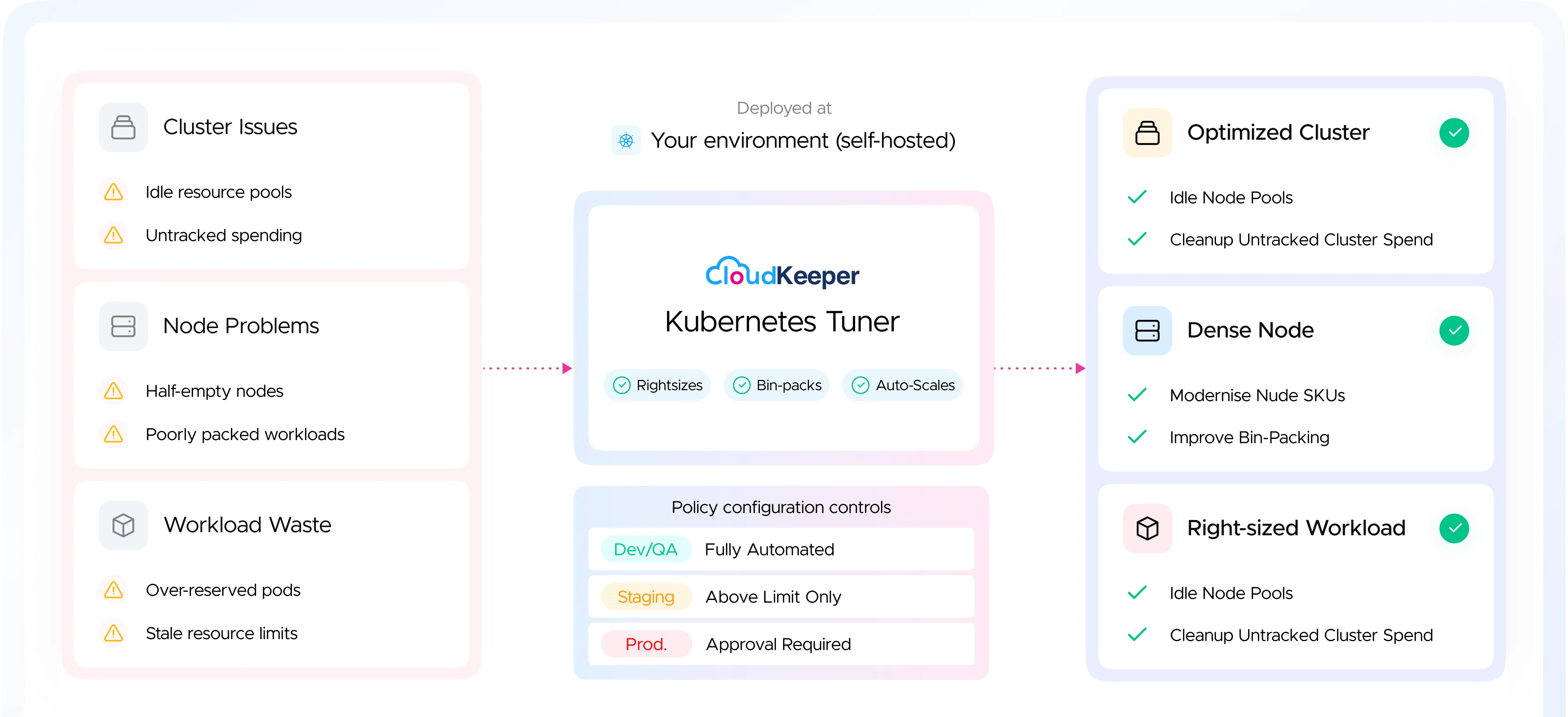
Reduce Kubernetes Costs. Automatically. Continuously
CloudKeeper Kubernetes Tuner is a self-hosted, policy-driven Kubernetes cost optimization platform that automatically rightsizes
workloads, eliminates wasted compute, and keeps production always under your control.

Backed by 50+ Kubernetes-certified
cloud engineers
Self-hosted — no data leaves
your infrastructure
Policy-based automation -
always opt-in
Here's where your Kubernetes money is actually going
Every one of these is fixable — automatically, within policies you control.
Overprovisioned
Workloads01Problem
Pods request far more CPU and memory than they actually consume — you pay for the reservation, not the usage.
Solution
Auto-rightsize every pod based on real observed usage. No manual YAML edits.
Underutilized
Nodes02Problem
Poorly packed nodes leave large gaps of unused compute — you're paying for the whole node.
Solution
Intelligent bin-packing consolidates workloads onto fewer nodes automatically.
Risky Optimization
Changes03Problem
Teams won't automate Kubernetes cost optimization if it risks production stability.
Solution
Policy-based rules — dev/QA automated, production always opt-in.
Idle & Zombie
Resources04Problem
Most Kubernetes cost optimization tools require SaaS access or outbound permissions — a non-starter for security-conscious teams.
Solution
Fully self-hosted. No external permissions. No data leaves your perimeter.
Fragmented Cluster
Utilization05Problem
Engineers waste hours adjusting resource configs that go stale within days as workloads change.
Solution
Continuous automated optimization runs in the background — your team focuses on building, not tuning.
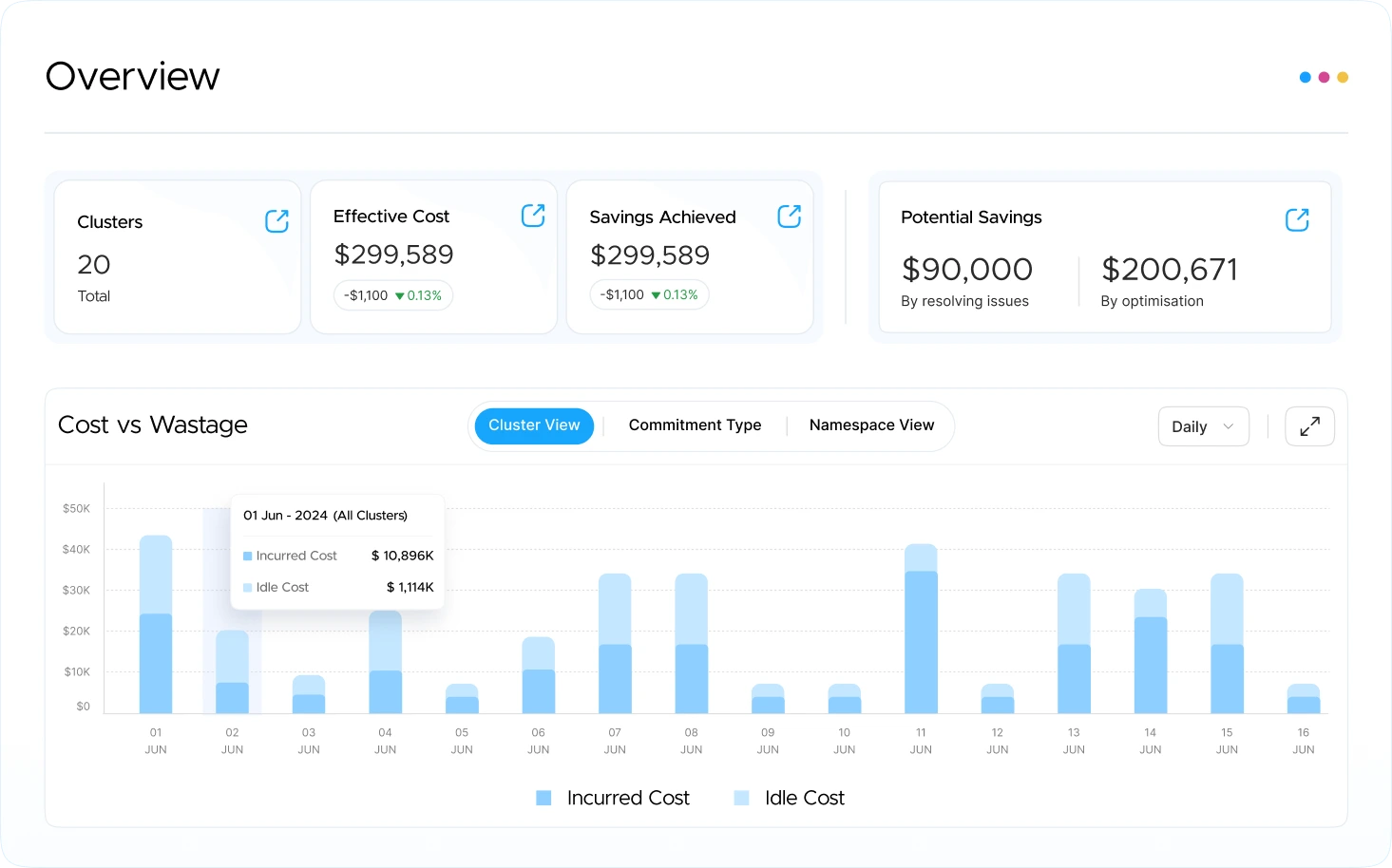
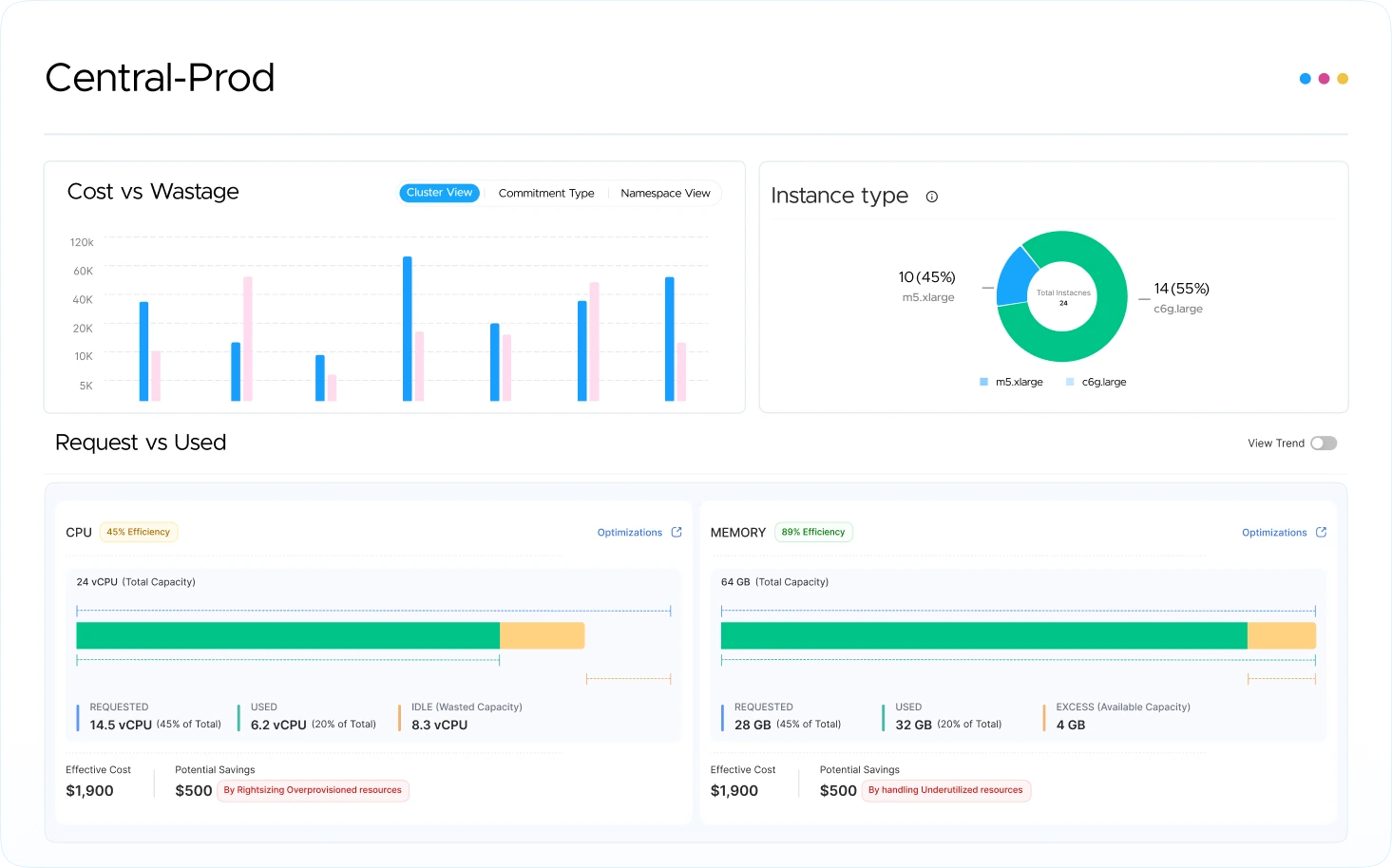
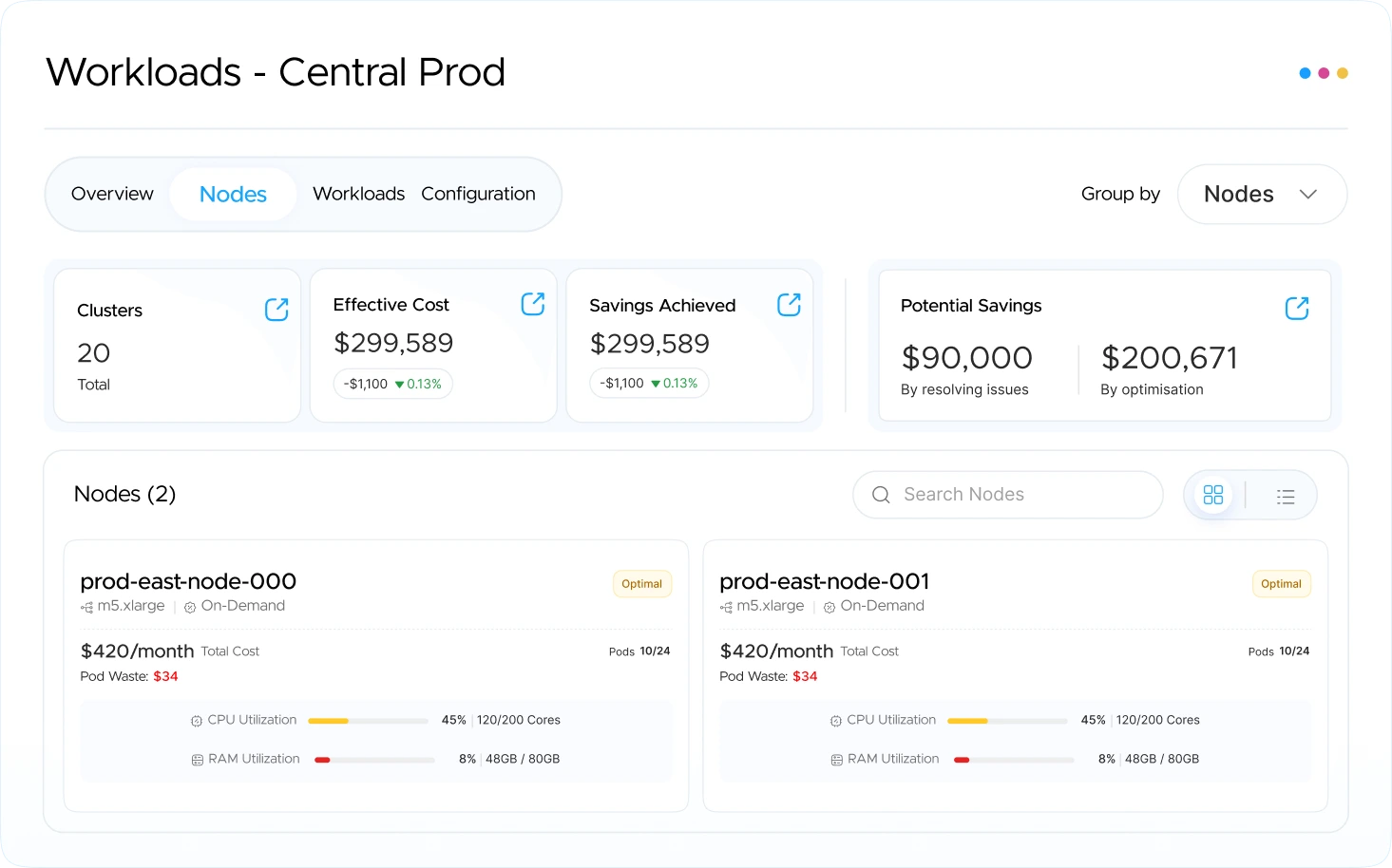
Full Visibility. Automated Optimization. Measurable Savings
From insight to action — everything runs continuously inside your environment
Multi-cloud ready
Every pod. Every node. Every dollar — optimized across AWS, GCP, Azure and on-prem.
Manual Optimization vs CloudKeeper Kubernetes Tuner
Metric
 Execution
 Engineer Time
 Cost Visibility
 Provisioning
 Reliability
 Environment
Without Tuner
Suggests optimizations, leaves execution to your team
Hours spent hand-tuning YAML configs that go stale in days
Cloud bills spike unpredictably at month-end
Overprovisioning "just in case" becomes a permanent default
OOM kills and throttling hit users before your team notices
Requires SaaS access or external permissions
With Kubernetes Tuner
Executes optimization automatically & continuously
Engineers focus on product, not pod config
Savings visible on day one — before enabling automation
Every cluster runs lean without sacrificing headroom or SLAs
OOM kills and throttling eliminated — right-sized from the start
Runs fully inside your environment — no data leaves
Why choose CloudKeeper Tuner for Kubernetes Cost Optimization?

Self-hosted by design
Runs in your environment. Nothing leaves
your perimeter.
Policy-based — not just automated
Fully automated in dev/QA, always opt-in in
production. You define the rules per environment.
All three layers are covered
Pod rightsizing, node bin-packing, and
cluster-level visibility — in one platform.
Backed by CloudKeeper's expertise
Built by the team behind $200M in cloud savings
across 400+ companies.
Built for Multi-Cloud
Launches on AWS EKS, GCP, Azure, and
on-prem from day one
Complements your existing stack
Works alongside HPA, VPA, and Karpenter —
enhancing them, not replacing them.
How to Get Onboarded

Connect
Deploy the self-hosted agent with read-only access. Works with AWS EKS — under 5 minutes.
Analyse
Maps your cluster, nodes, and workloads. Surfaces exactly where waste occurs — with dollar values.
Configure Policies
Define which environments automate fully, which need approval, and what spend thresholds trigger action.
Optimise
Rightsizing and bin-packing run continuously within your policies. Savings compound automatically.
Turn Kubernetes Waste into Measurable Savings
Talk to us about early access. Let's show you what your clusters are wasting.
Related Resources
In-depth, research-led content from our certified FinOps & cloud experts
Frequently Asked Questions
- Arrow1.Is CloudKeeper Kubernetes Tuner a SaaS product? Q1. Is CloudKeeper Kubernetes Tuner a SaaS product?
CloudKeeper Kubernetes Tuner is available as a fully self-hosted deployment — it runs entirely inside your own environment with no external permissions required and no data leaving your infrastructure. A SaaS option is currently in development and coming soon. Talk to us to find out which deployment model is right for your team.
- Arrow2.Does it need write access to my cluster? Q2. Does it need write access to my cluster?
Read-only access is used for analysis and recommendations. Automated optimization only runs within the policies you configure — production is always opt-in.
- Arrow3.Is CloudKeeper Kubernetes Tuner safe to run in production? Q3. Is CloudKeeper Kubernetes Tuner safe to run in production?
Yes. Kubernetes Tuner starts in read-only mode by default — you see everything, it changes nothing. Automation is opt-in, and every action respects your existing policies, PodDisruptionBudgets, and replica counts. You stay in control at every step.
- Arrow4.Do you store or access our workload data? Q4. Do you store or access our workload data?
Kubernetes Tuner collects resource metrics and configuration metadata — not application data, secrets, or payload content. Our self-hosted option keeps everything within your VPC if that's a requirement.
- Arrow5.Will it conflict with HPA, VPA, or Karpenter? Q5. Will it conflict with HPA, VPA, or Karpenter?
No. Kubernetes Tuner is designed to work alongside native Kubernetes autoscalers, not replace them. It enhances their decisions with richer workload data and fills the gaps they leave behind.
- Arrow6.How is CloudKeeper Kubernetes Tuner different from Competitors? Q6. How is CloudKeeper Kubernetes Tuner different from Competitors?
Those are SaaS platforms that require external access. CloudKeeper Kubernetes Tuner is self-hosted, covers all three layers — cluster, nodes, and workloads — and uses policy-based rules so you can automate selectively, not all-or-nothing.
- Arrow7.Will it affect my production workloads? Q7. Will it affect my production workloads?
No, unless you explicitly configure it to. Production automation is always opt-in via policy. You define which environments automate and under what conditions.
- Arrow8.How long does setup take? Q8. How long does setup take?
The agent deploys into your environment quickly. Initial recommendations are available within 48 hours of connecting your cluster.