DevOps Engineer
Anjali Jain is a cloud enthusiast specializing in Amazon Web Services (AWS) solutions.


Find your cloud savings in under 5 minutes

Get a $100 reward on signup

12 Mar, 2026 | 5 Min read

Recently, a customer exploring Amazon QuickSight asked us:
“We have recently started exploring AWS QuickSight and noticed that the Amazon QuickSight URL is publicly accessible. We would like to understand if it is possible to restrict access and make the URL private. Additionally, we want to explore the options for enforcing corporate SSO login for Amazon QuickSight users.”
This real-world query prompted us to evaluate Amazon QuickSight’s access control mechanisms. In the process, we also encountered and addressed a critical consideration: the fact that AWS QuickSight’s home region cannot be changed once created.
When adopting Amazon QuickSight for business intelligence, enterprises often realize that the AWS QuickSight URL is publicly accessible by default. While AWS QuickSight provides user-level permissions, many organizations require stricter controls to ensure that Amazon QuickSight is accessible only from corporate VPN or private networks.
In parallel, enterprises want to enforce SSO login so that users authenticate only through their existing identity providers.
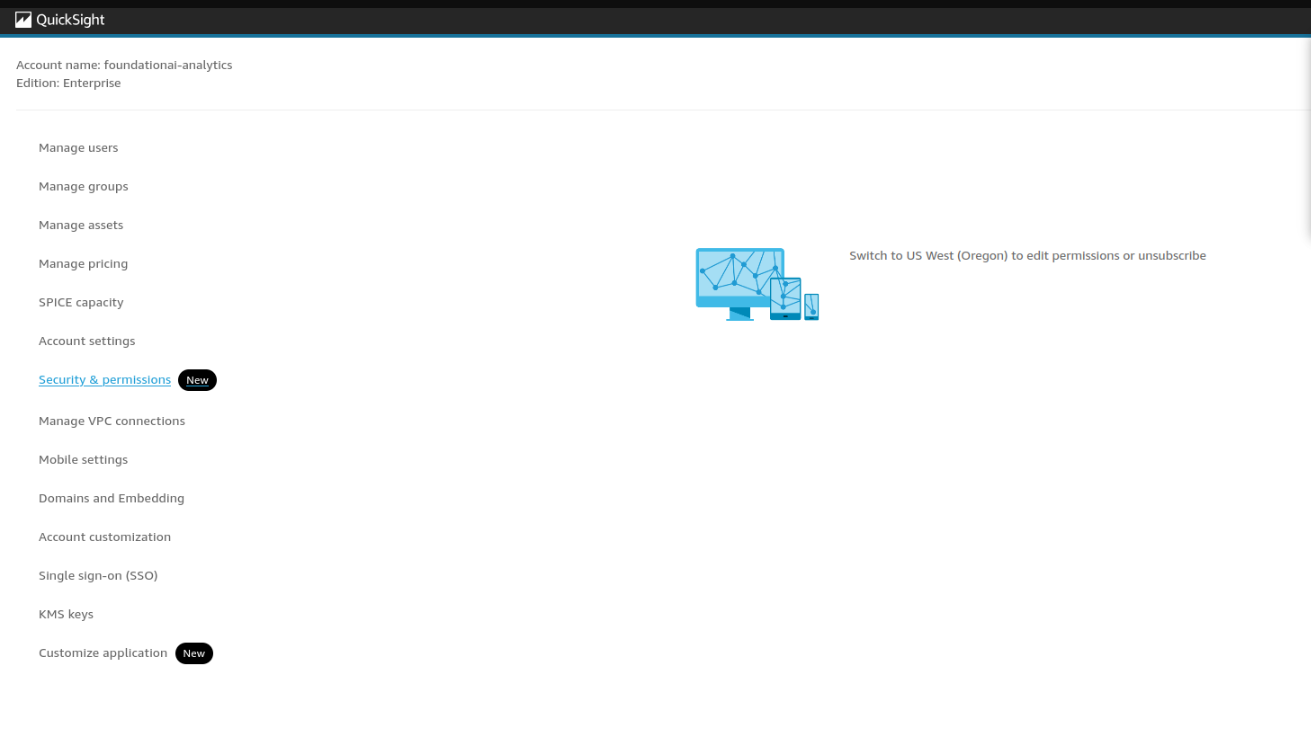
During implementation, another challenge emerged: when attempting to configure a Virtual Private Connection in us-east-1, Amazon QuickSight prompted us to switch to us-west-2 (Oregon), indicating that the account’s home region is fixed and cannot be changed. This creates limitations when VPCs are deployed in regions different from the AWS QuickSight home region.
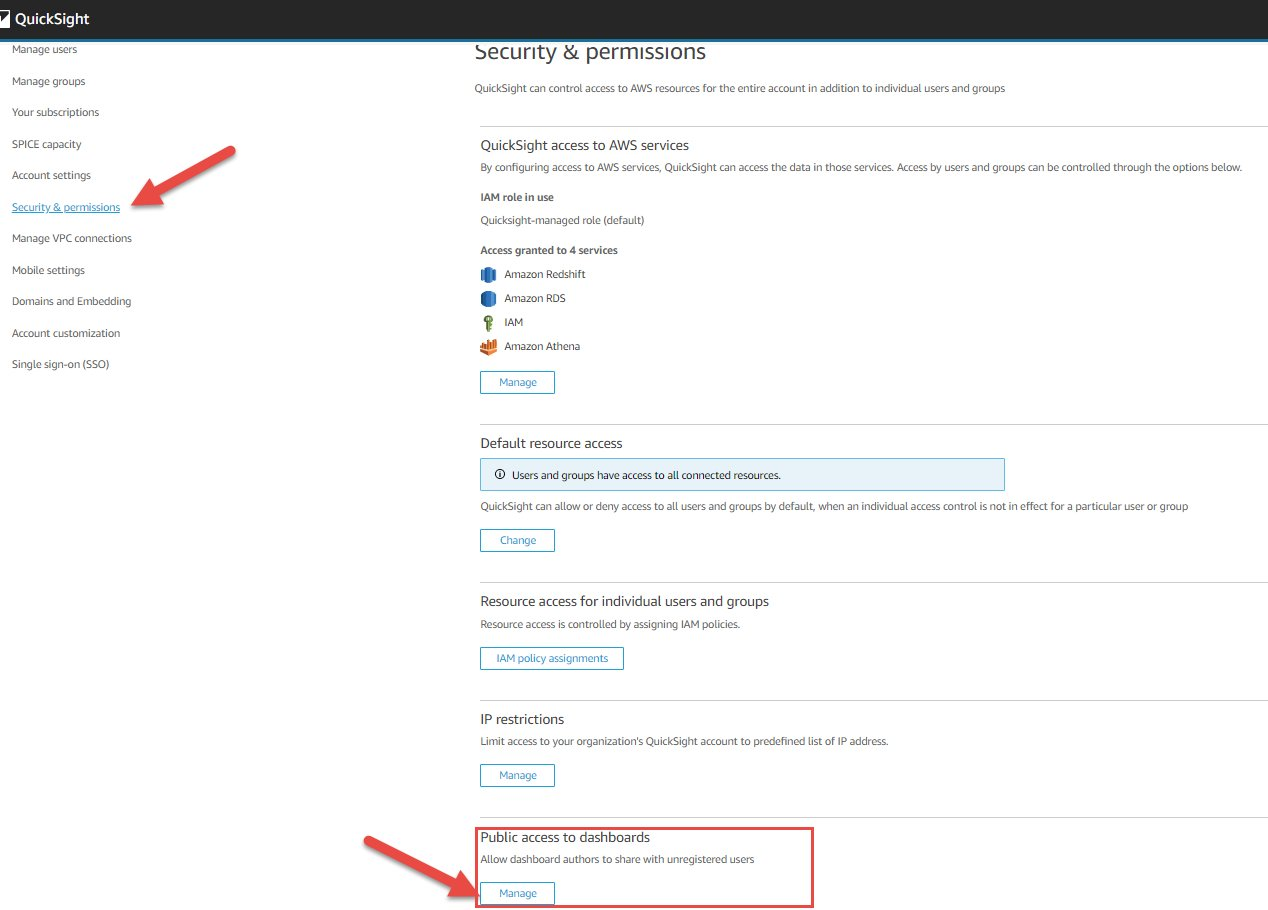
To address these concerns, we evaluated three approaches:
After careful evaluation, we selected VPC endpoint–based restrictions as the preferred approach, since they provide the strongest network isolation and compliance guarantees.
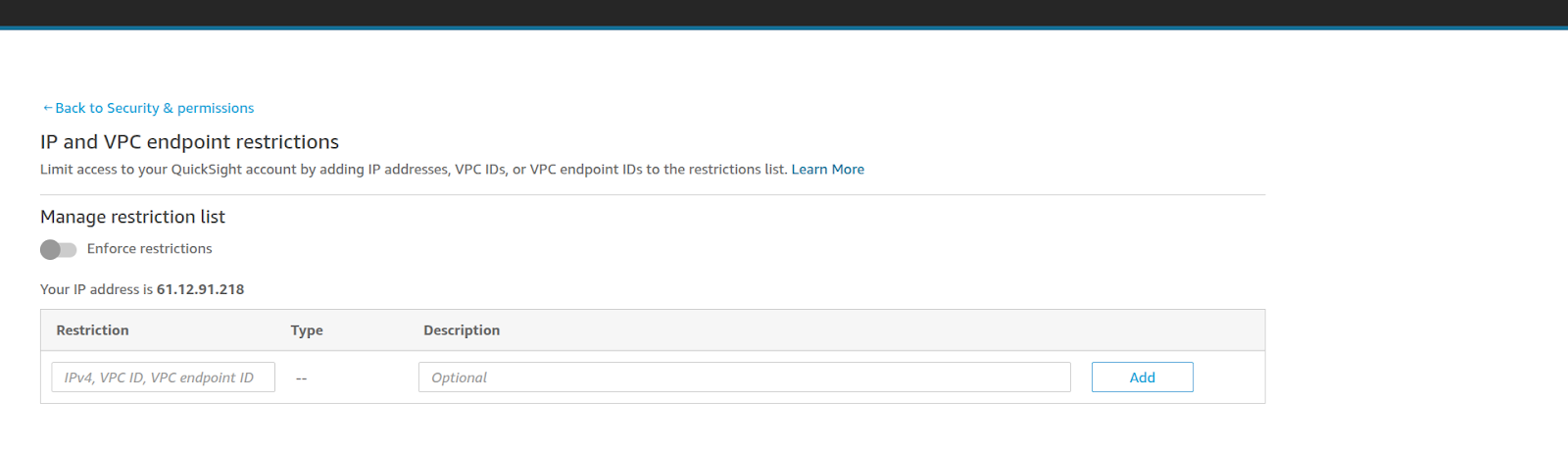
Create an Interface VPC Endpoint for:
com.amazonaws.<region>.quicksight-website
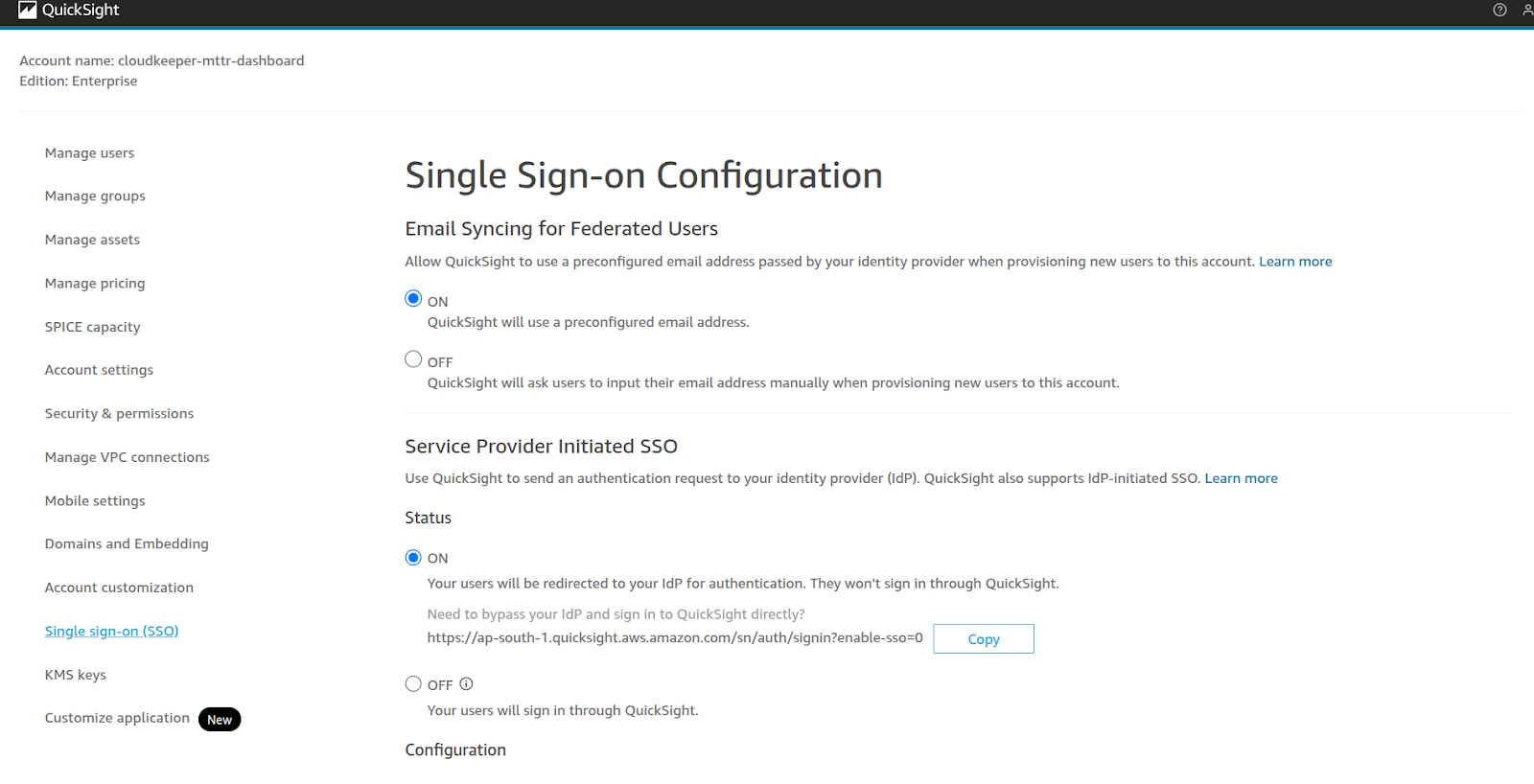
If Identity Center is not available or supported in the Amazon QuickSight region, configure SAML federation directly from your IdP to IAM roles that provide AWS QuickSight access. This still enforces enterprise SSO and MFA policies.
During testing, we attempted to create a VPC connection in us-east-1, but AWS QuickSight redirected us to us-west-2 (Oregon).
This behavior highlights an important limitation:
Workarounds:
If Amazon QuickSight is tied to us-west-2, either:
a) Place data sources in that region, or
b) Use cross-region networking (PrivateLink/peering) to connect east-coast resources.
If the long-term strategy requires AWS QuickSight in us-east-1, unsubscribe from Amazon QuickSight in us-west-2 and re-subscribe in us-east-1.
a) This migration requires re-creating datasets, analyses, dashboards, and permissions.
With this solution, we achieved:
This approach delivers secure, governed, and enterprise-ready Amazon QuickSight deployments, ensuring both compliance and user productivity.
Enterprises adopting Amazon QuickSight must address both network isolation and identity enforcement to ensure secure deployments. By implementing VPC endpoint restrictions and federated SSO login, we created a design that meets enterprise security, compliance, and usability requirements.
If your organization is looking to secure Amazon QuickSight with private connectivity and SSO, CloudKeeper can help.

99% of companies saved up to 15% monthly with this plan & achieved peak performance.