


Posted on:
Custom Reports (AWS)
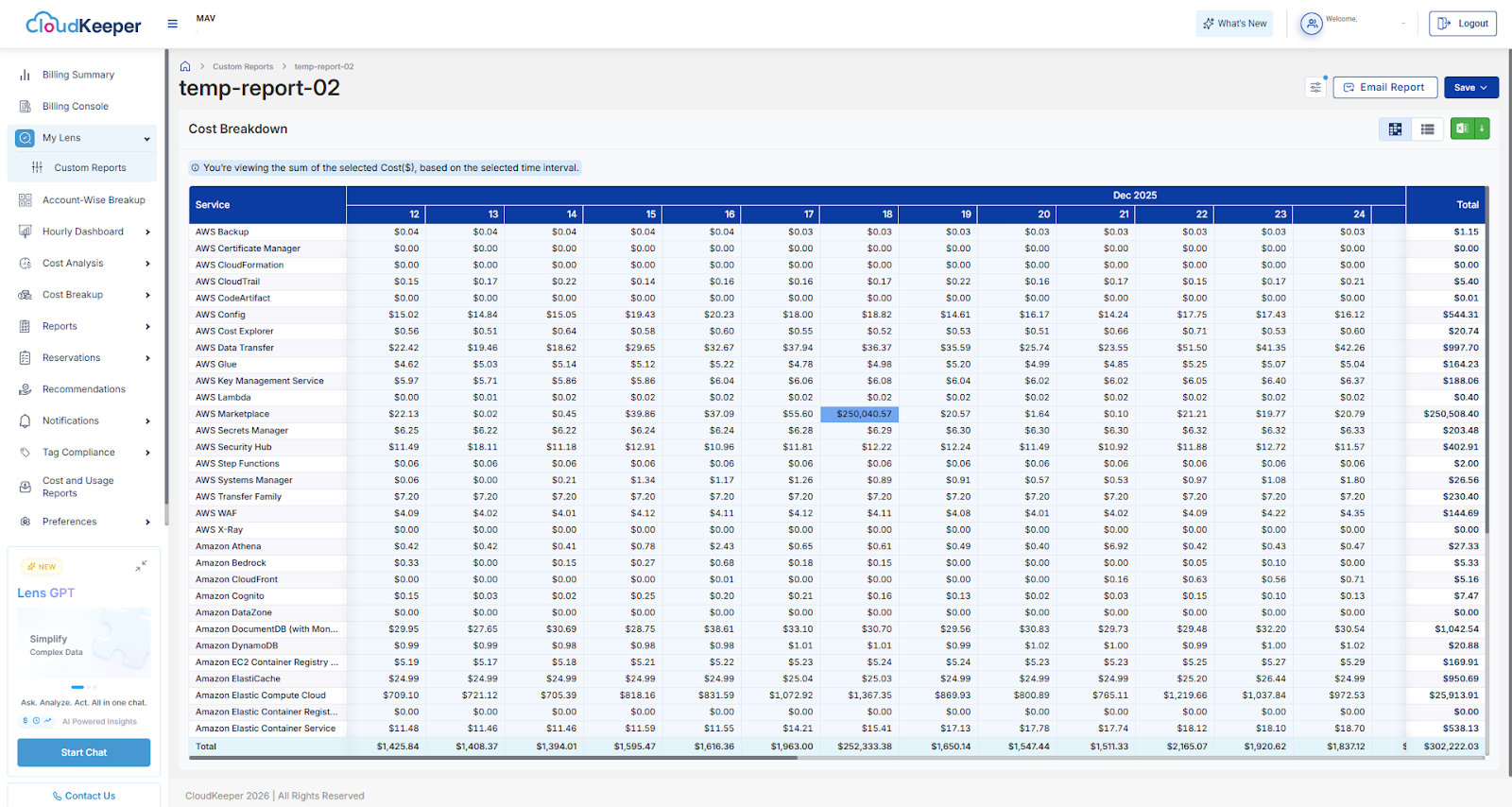
The Custom Reports feature in CK Lens introduces a powerful and flexible way to build tailored cost views based on specific business and analytical needs. Instead of relying solely on predefined dashboards, users can now configure their own reports by selecting a source dashboard, choosing metrics such as Cost or Usage, defining time ranges and intervals, and applying multiple filters, including service, region, and account.
Designed to enhance customization, repeatability, and efficiency, Custom Reports allow users to create structured daily or monthly views with precise aggregation logic, making cost analysis more aligned with real-world reporting requirements.
The feature supports multi-level grouping (such as service and region together) along with aggregation options like Sum, Average, or Max, enabling deeper and more granular insights. Users can generate dynamic cost breakdown tables, apply limit-based controls such as Top, Bottom, Range, or None, and save configurations as reusable Custom Views for faster future access.
Reports can also be shared via email delivery and exported in Excel or CSV formats, ensuring seamless collaboration and offline analysis. By combining flexibility, automation, and export-ready outputs within a consistent CK Lens experience, Custom Reports significantly improve cost visibility and reduce manual reporting effort.
Certified. Trusted. Industry Recognized.













