Senior DevOps Engineer
Gourav specializes in helping organizations design secure and scalable Kubernetes infrastructures on AWS.

30 Dec, 2025 | 5 Min read

If you have ever managed a busy Amazon EKS cluster, you have seen this happen. Most days, everything is fine. Deployments work. Controllers are happy. kubectl responds instantly . Then one day, you roll out a big change. Maybe a cluster upgrade. Maybe a node rotation. A CI job that touches thousands of pods.
Suddenly, things slow down.
A kubectl get pods that normally takes a second now takes 20 or 30 seconds. ArgoCD starts timing out. Some controllers begin throwing API errors. Nothing is fully broken, but everything feels stuck.
In many cases, the problem is simple. The Kubernetes API server is overloaded, which is often the result of sudden traffic spikes on Amazon EKS.
This exact situation is what led AWS to introduce EKS Provisioned Control Plane.
By default, every Elastic Kubernetes Service cluster runs in what AWS calls Standard mode.
For most clusters, this works well.
The issue is timing.
Control plane scaling is reactive. When you suddenly hit the API server with a burst of requests, such as updating thousands of pods at once, there is a short delay before additional capacity is ready. During that window, API calls slow down, and some requests time out.
This is usually not a problem for small or medium clusters. But for large clusters, or for environments where automation depends heavily on the API server, even short slowdowns can cause trouble.
To prevent the problem in the first place, it’s essential to choose the right Kubernetes service between Amazon ECS and EKS, a decision that can help you avoid performance issues.
Provisioned Control Plane is AWS’s way of letting you pre-allocate control plane capacity.
Instead of relying on reactive scaling, you choose a fixed capacity tier up front. AWS keeps that capacity available at all times.
A simple way to think about it:
AWS offers a few predefined tiers, such as XL, 2XL, and 4XL. Each tier represents a higher level of guaranteed control plane capacity.
Each tier defines limits in three main areas:
The API numbers are expressed in Kubernetes “seats”. This comes from Kubernetes API Priority and Fairness and is not the same as raw requests per second.
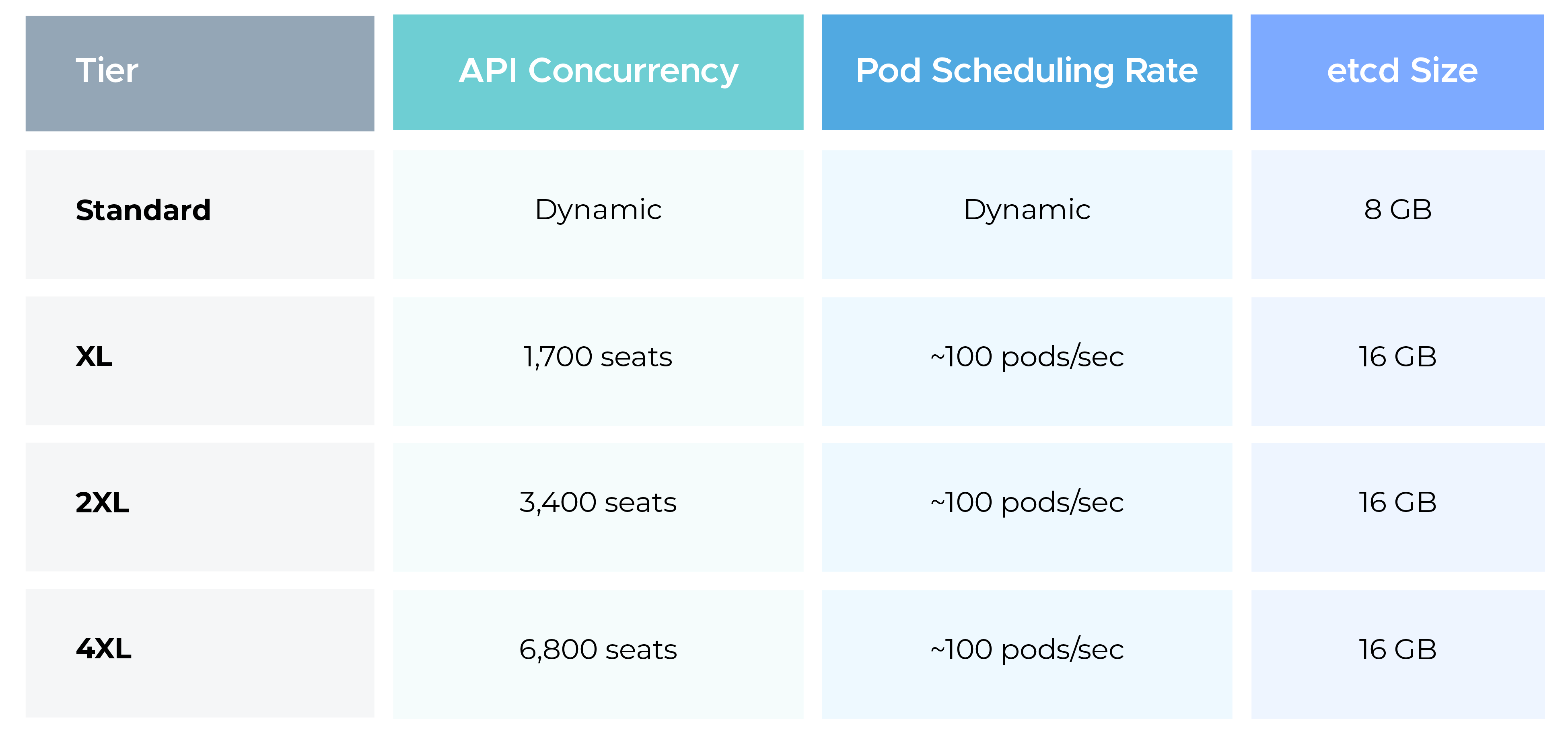
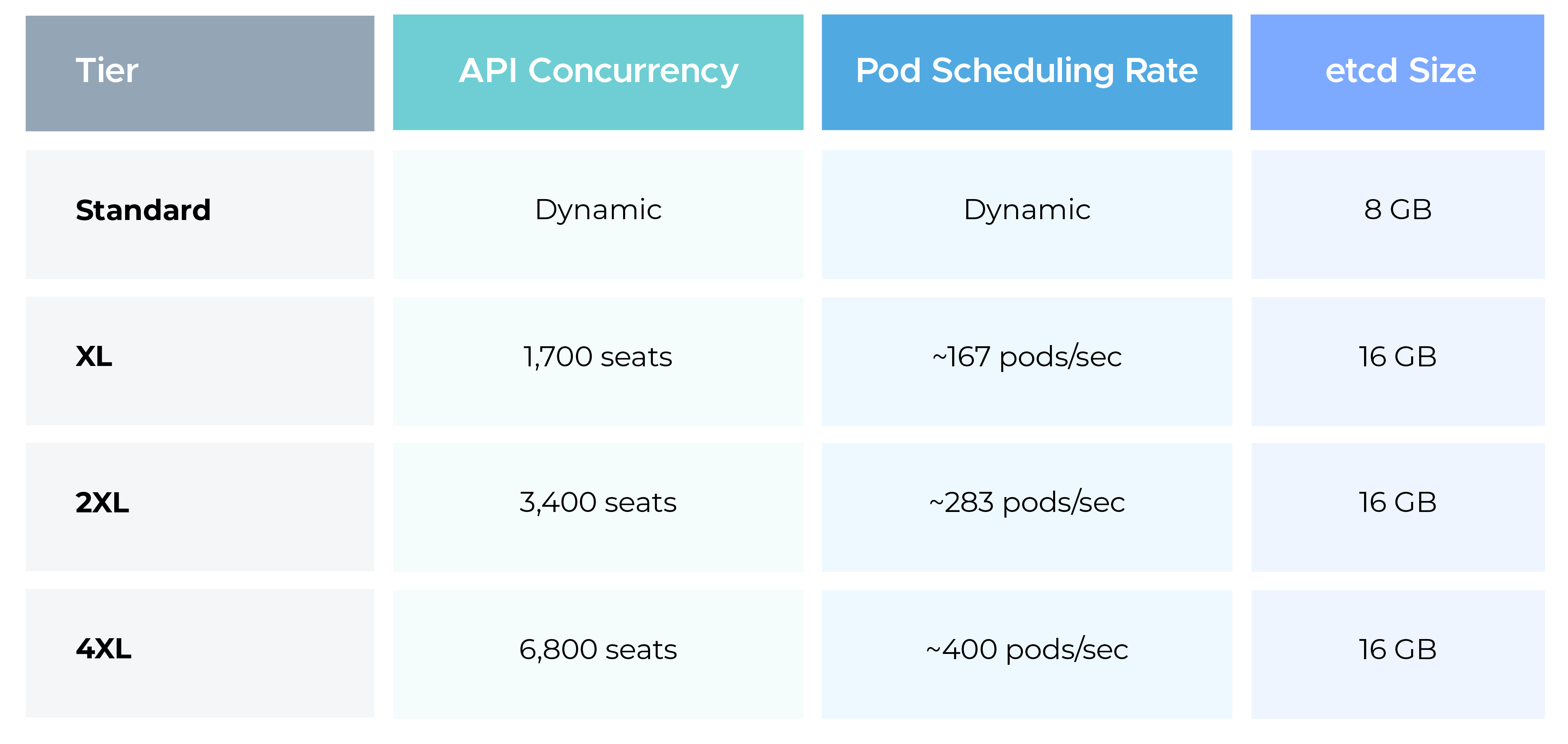
These numbers assume healthy nodes, reasonable admission webhook latency, and well-behaved controllers. They are best-case targets, not hard guarantees.
In simple terms:
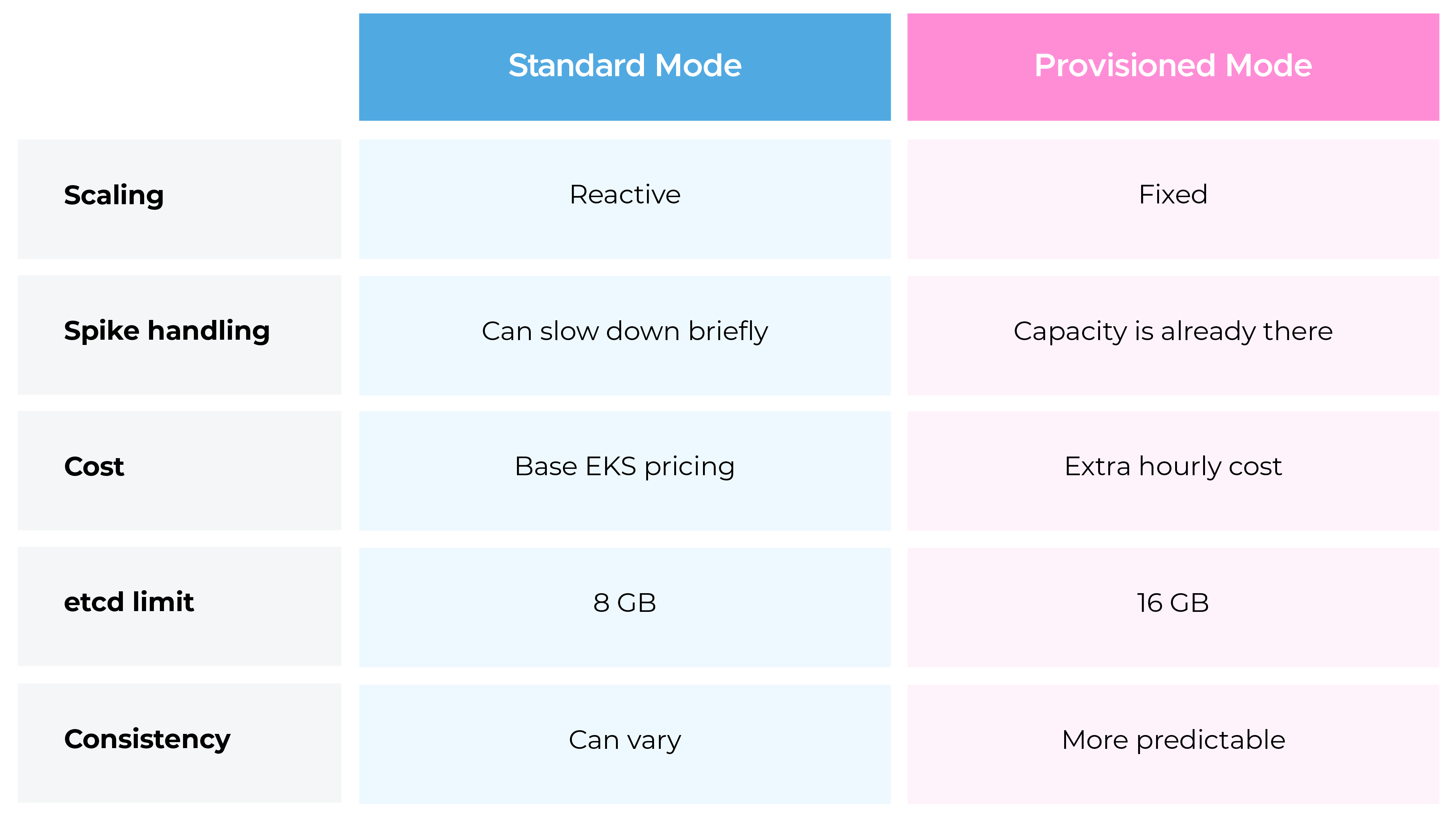
Provisioned mode does not magically fix bad controllers or slow webhooks. What it does is remove control plane scaling delays from the equation.
This is not for everyone. In fact, most clusters should stay on Standard mode.
Provisioned Control Plane makes sense when:
Before enabling it, keep these points in mind:
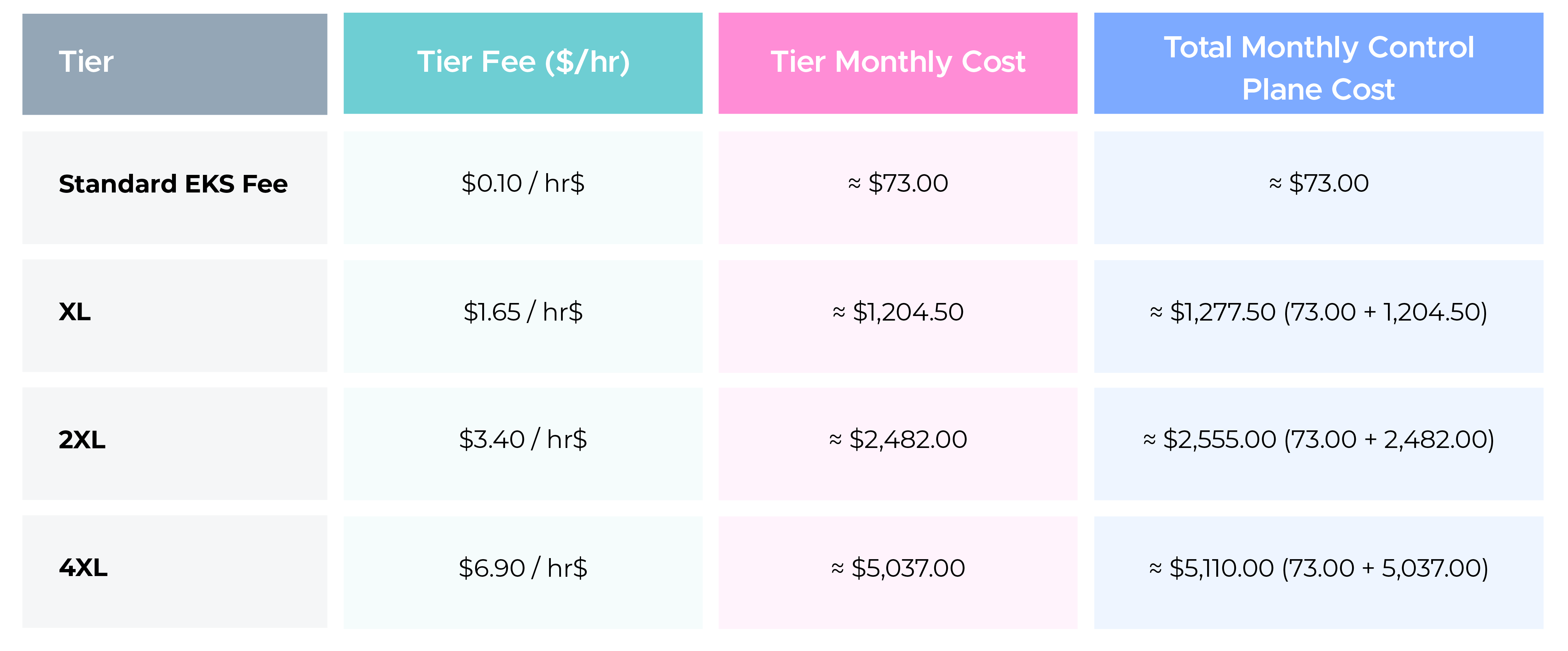
AWS charges an additional hourly fee for Provisioned Control Plane on top of the standard EKS cluster control plane fee. For the most current and detailed pricing information, always refer to the official Amazon EKS Pricing page.
Unchecked EKS usage can quickly lead to bill shocks, particularly in your AWS EKS spend. Here are cost management strategies specific to AWS EKS.

These charges are in addition to the standard Amazon EKS cluster charge of $0.10 per hour for Kubernetes versions under standard support.
If you run a Provisioned Control Plane for a typical month (~730 hours), the approximate cost would be:
First, review your control plane metrics.
Check:
If you consistently see spikes during deployments or upgrades and those spikes cause visible slowdowns, Provisioned Control Plane is worth testing.
A practical approach is to test the highest tier in a non-production environment, simulate peak activity, and then scale down to the lowest tier that meets your needs.
Provisioned Control Plane is not a replacement for Standard mode. Standard mode exists for a reason and works well for most clusters.
Provisioned mode is useful when you need predictable control plane performance and want to avoid scaling-related delays during known high-load events.
Measure first. Test properly. Do not turn it on blindly.

99% of companies saved up to 15% monthly with this plan & achieved peak performance.