Senior Devops Engineer
Neetesh specializes in designing, automating, and managing scalable DevOps pipelines across cloud-native infrastructures.
 Webinar

This article is part of a five-blog series where we share a real client use case — how we reimagined their cloud infrastructure strategy with Crossplane, GitOps, and a hybrid approach with Terraform.
📖 Missed the first part? Read Blog 1 – Why We Looked Beyond Terraform before continuing.
In Blog 1, we shared why we looked beyond Terraform. It worked well for provisioning static infrastructure, but as our platform grew to 50+ microservices with global ambitions, cracks began to show.
Crossplane solved these gaps with its continuous reconciliation model. Just like Kubernetes keeps pods aligned with their declared spec, Crossplane keeps infra in sync with Git. That made it the better fit for our growing platform.
Takeaway: Terraform provisioned well, but Crossplane managed better.
In this post, we’ll dive into the hybrid architecture we designed — balancing Terraform’s stability with Crossplane’s agility, all running inside a single Kubernetes cluster.
One of the first debates we faced was simple but critical:
“Go all-in on Crossplane or keep Terraform for the base?”
The compromise:
Takeaway: Terraform gave us stability, Crossplane gave us speed. Together, they gave us both.
We landed on a two-layer hybrid design — both inside the same Kubernetes cluster:
Takeaway: Terraform laid the runway. Crossplane flew above it. GitOps was the control tower.
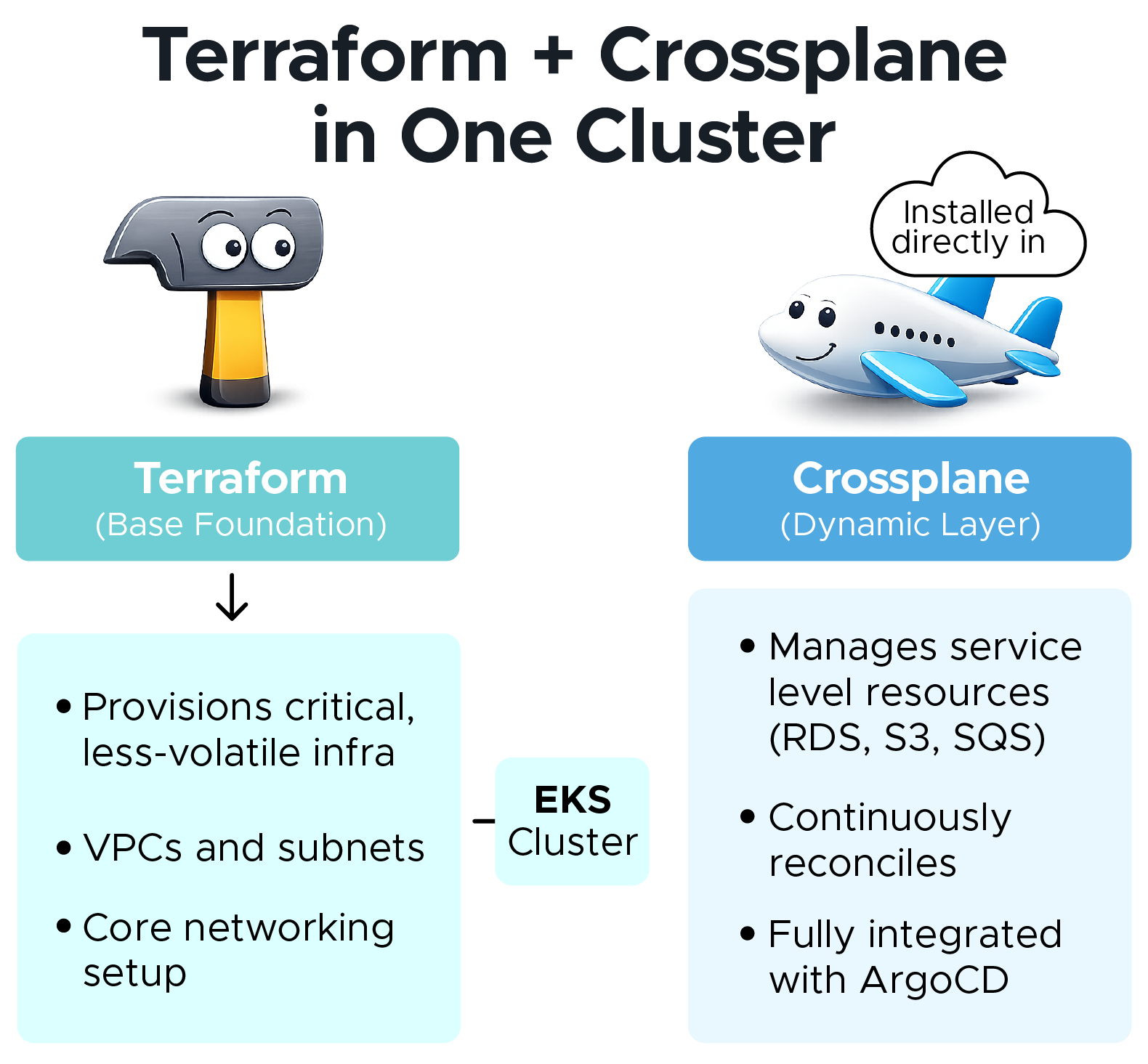
Terraform builds the base. Crossplane manages the edge. GitOps keeps them in sync.
"This hybrid design let us use each tool where it was strongest — Terraform for the stable foundation (VPCs, networking, AWS EKS control plane), and Crossplane for dynamic, developer-facing resources like AWS RDS, AWS S3, and AWS SQS. By combining them in a single cluster, we gained both stability and agility, all fully reconciled through GitOps with ArgoCD."
The hybrid model worked because it played to the strengths of each tool:
Takeaway: Hybrid wasn’t a compromise — it was optimization.
Once the hybrid foundation was in place, the next challenge was consistency.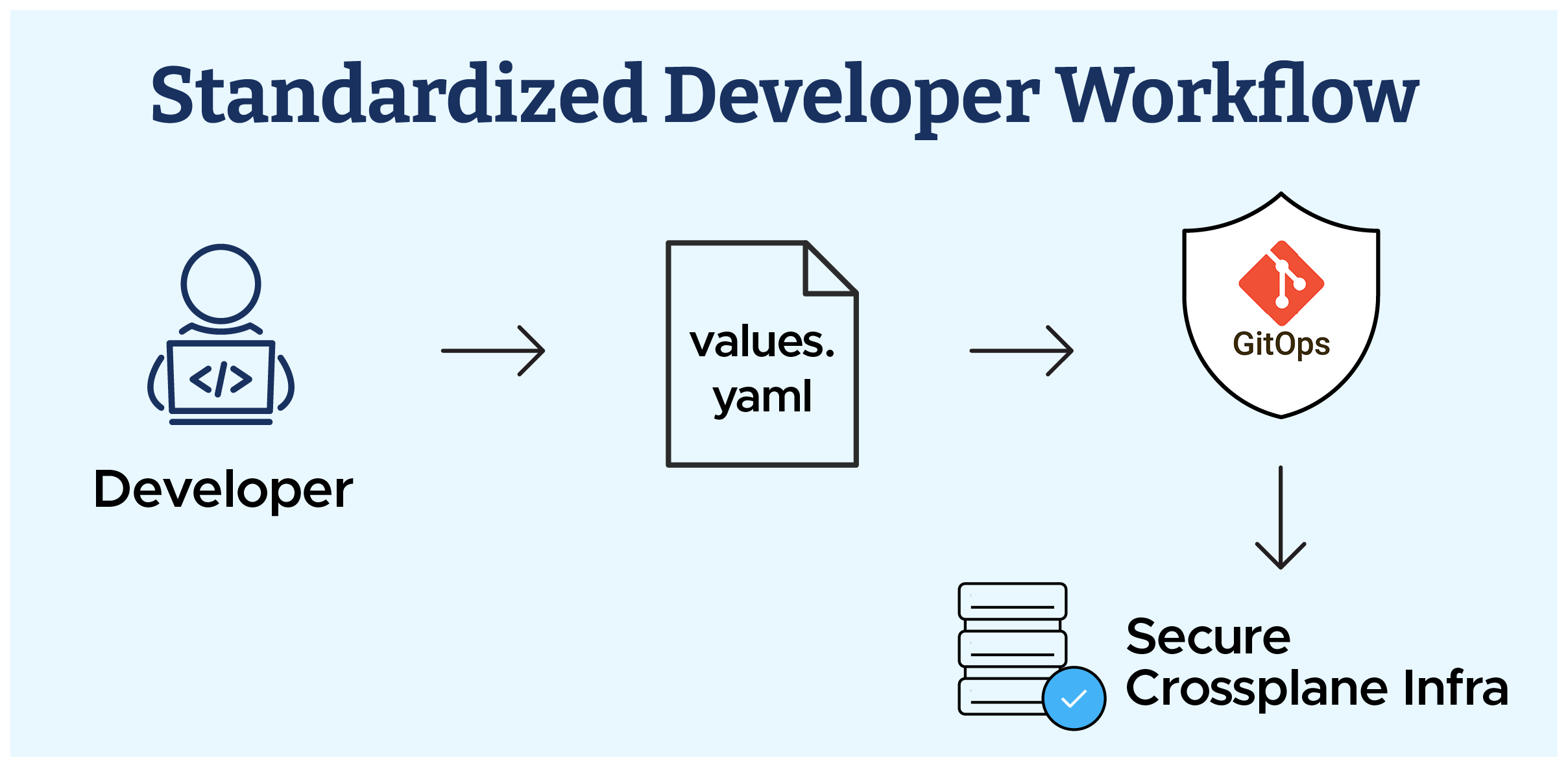 With 50+ microservices, consistency mattered. We standardized everything with Helm + GitOps:
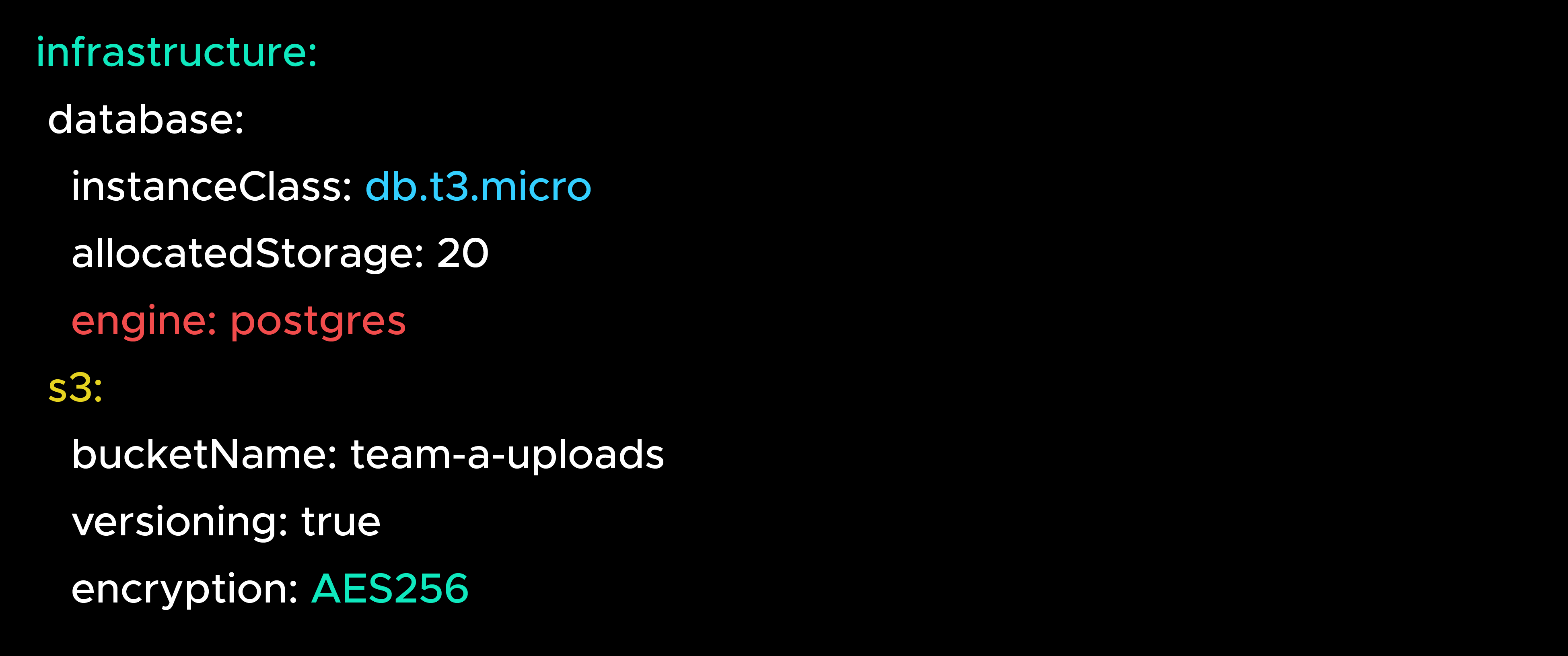
Guardrails (versioning, encryption, deletionPolicy) were hardcoded in templates, so developers got freedom with safety.
Takeaway: Developers declared intent. Guardrails enforced compliance.
After standardizing workflows, the next challenge was scaling infra code across teams. We solved this by modularizing Helm charts.
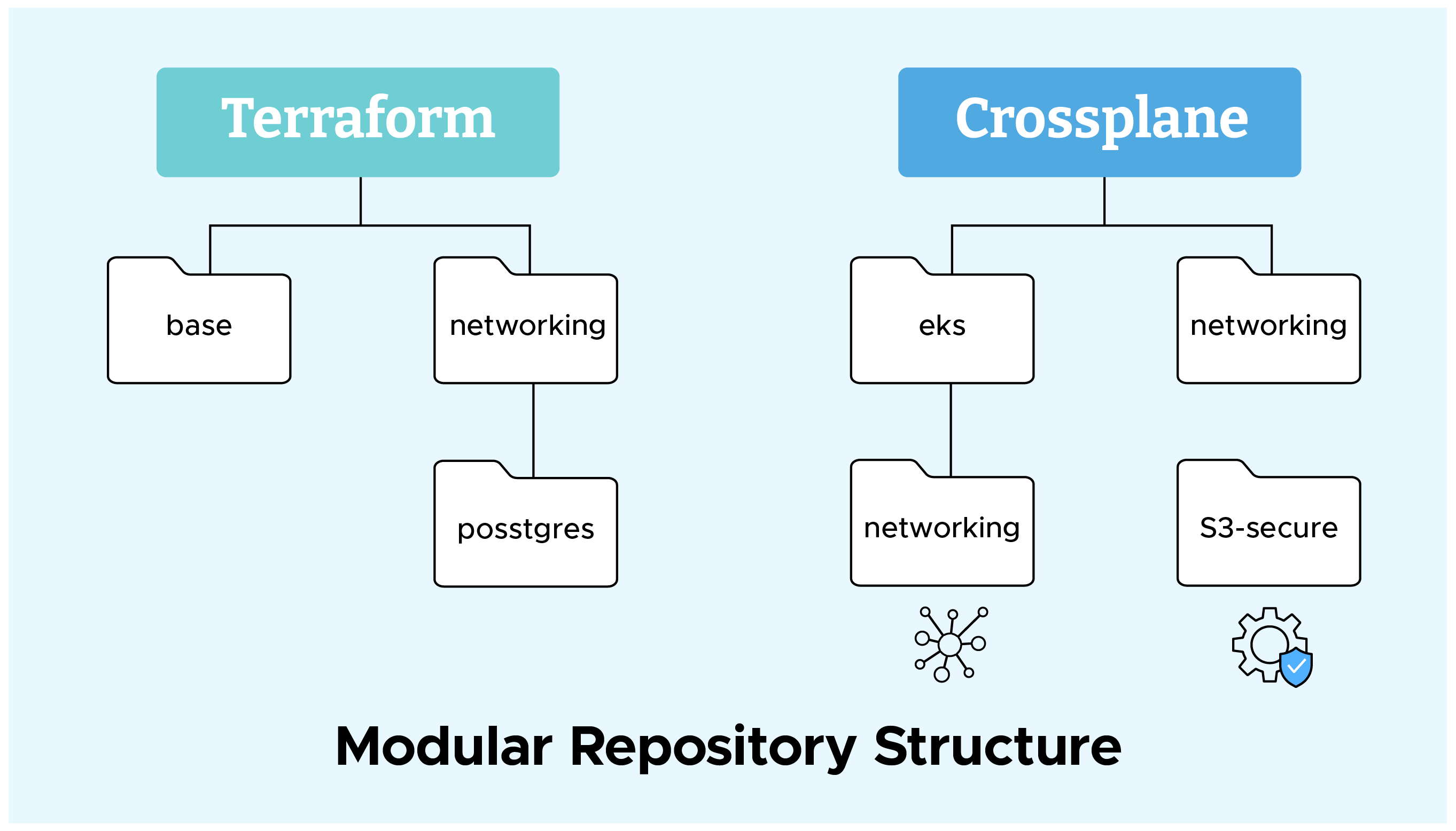
We modularized infra into reusable Helm charts:
Takeaway: Modular charts = reusability, consistency, and built-in security guardrails.
Even with modularity, one problem remained: Terraform and Crossplane in the same repo created friction. The solution was clear — separate them.
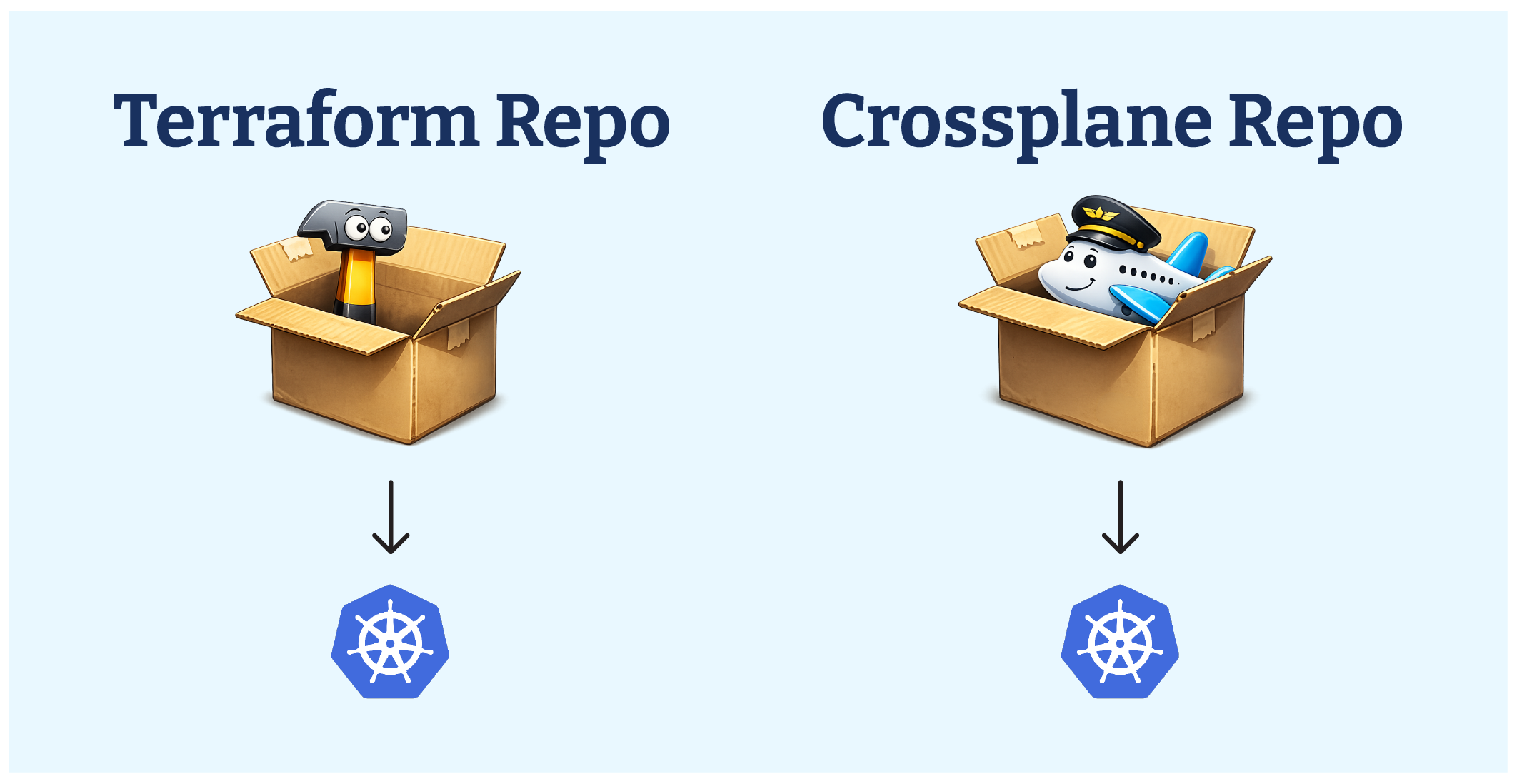
This separation gave platform teams control of the foundation with Terraform, while enabling developers to move fast with Crossplane without worrying about Terraform state files.
Takeaway: Separation gave platform teams control and developers freedom.
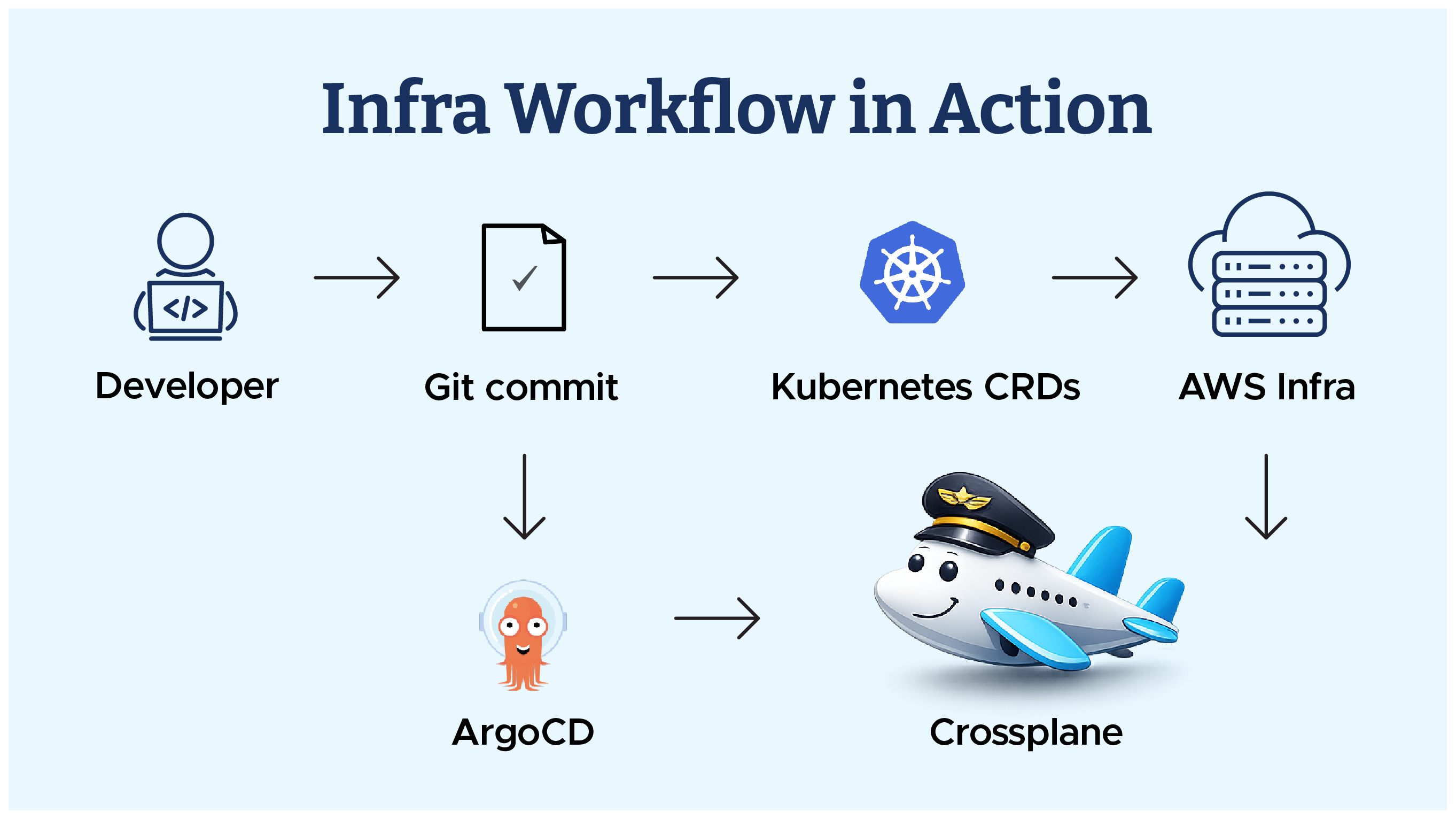
End-to-end flow in the hybrid model:
Takeaway: Infra requests became Git commits. No tickets. No manual drift fixes.
Terraform gave us stability. Crossplane gave us speed. GitOps kept it aligned. Together, they created a balanced model that scaled without slowing teams down.
Takeaway: “Hybrid Infra isn’t compromise — it’s the sweet spot”.
Next: Blog 3 – Onboarding AWS Resources & Importing Existing Infra, where we show how we safely onboarded VPCs, EKS, and RDS with Crossplane and imported existing AWS resources without downtime.

99% of companies saved up to 15% monthly with this plan & achieved peak performance.