
 Webinar
From Commitments to Outcomes: Build a Smarter Cloud Commitment Strategy
Oct 14th, 12:00 PM EST 5:00 PM BST
Webinar
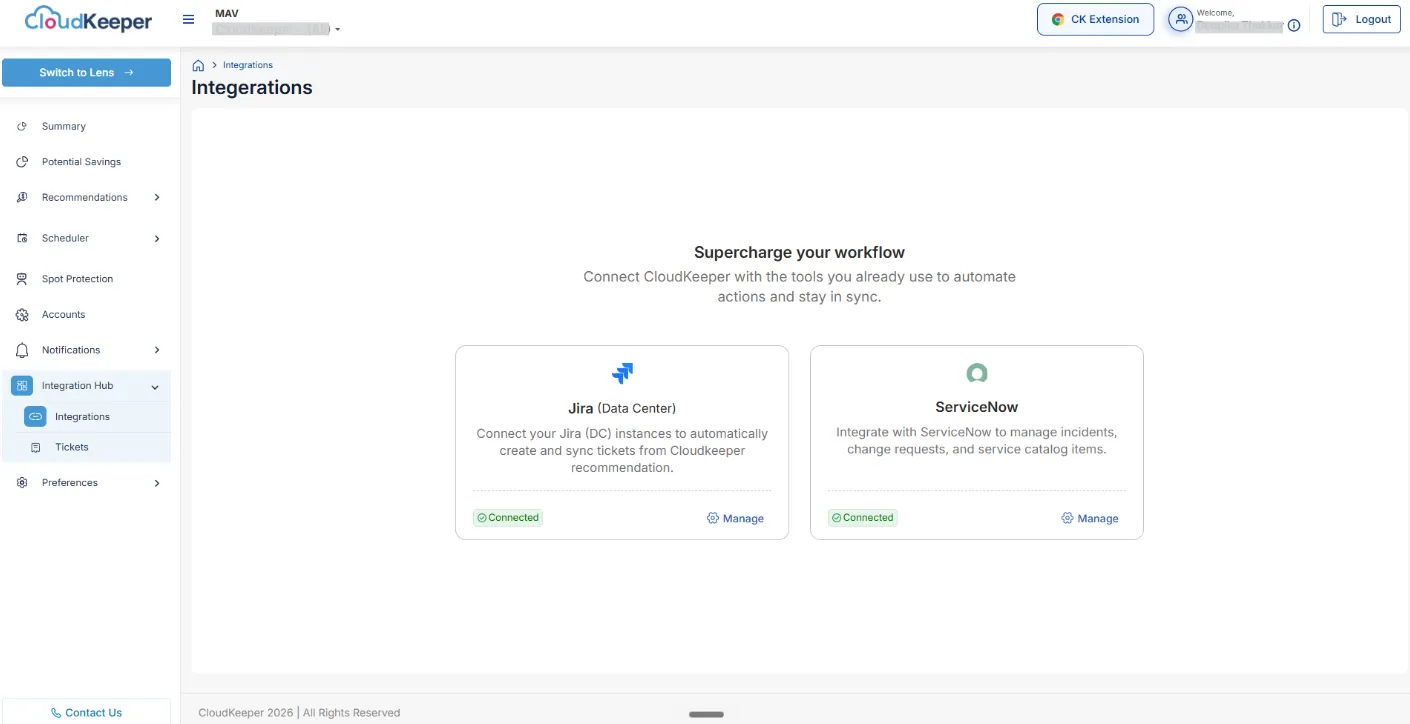
AWS & GCP Tuner now supports ServiceNow integration in the Integration Hub, enabling customers to create and track ServiceNow tickets directly from Tuner recommendations alongside the existing Jira (Data Center) integration.
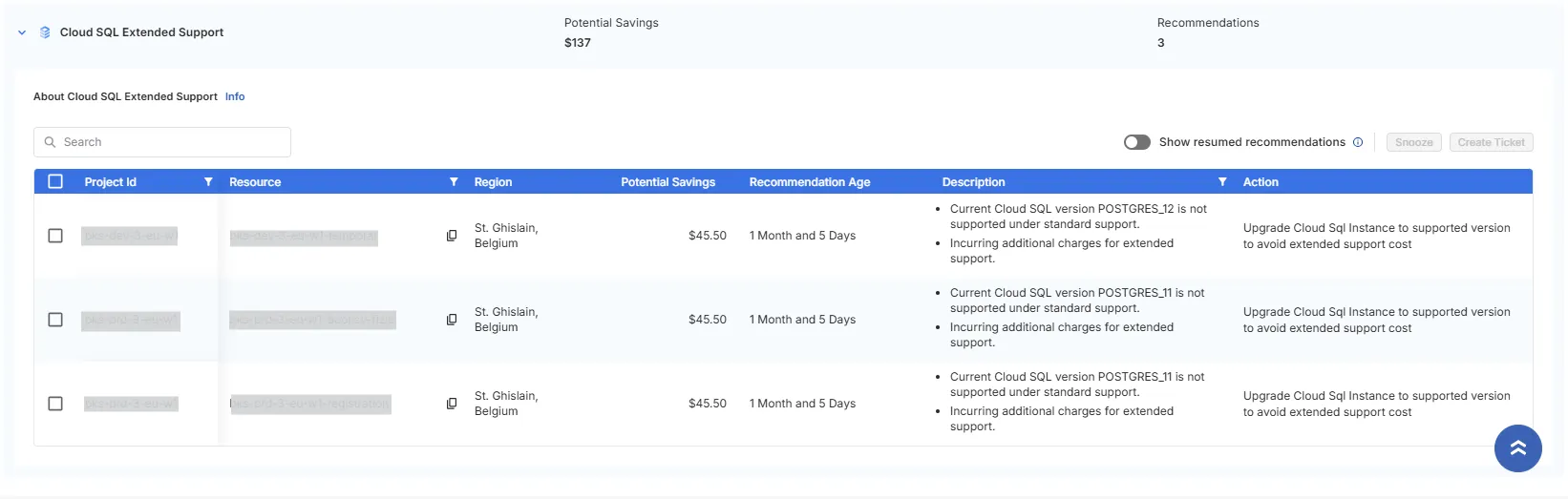
This recommendation identifies Cloud SQL instances running on end-of-life (EOL) major versions of MySQL or PostgreSQL that are incurring extended support charges in GCP.
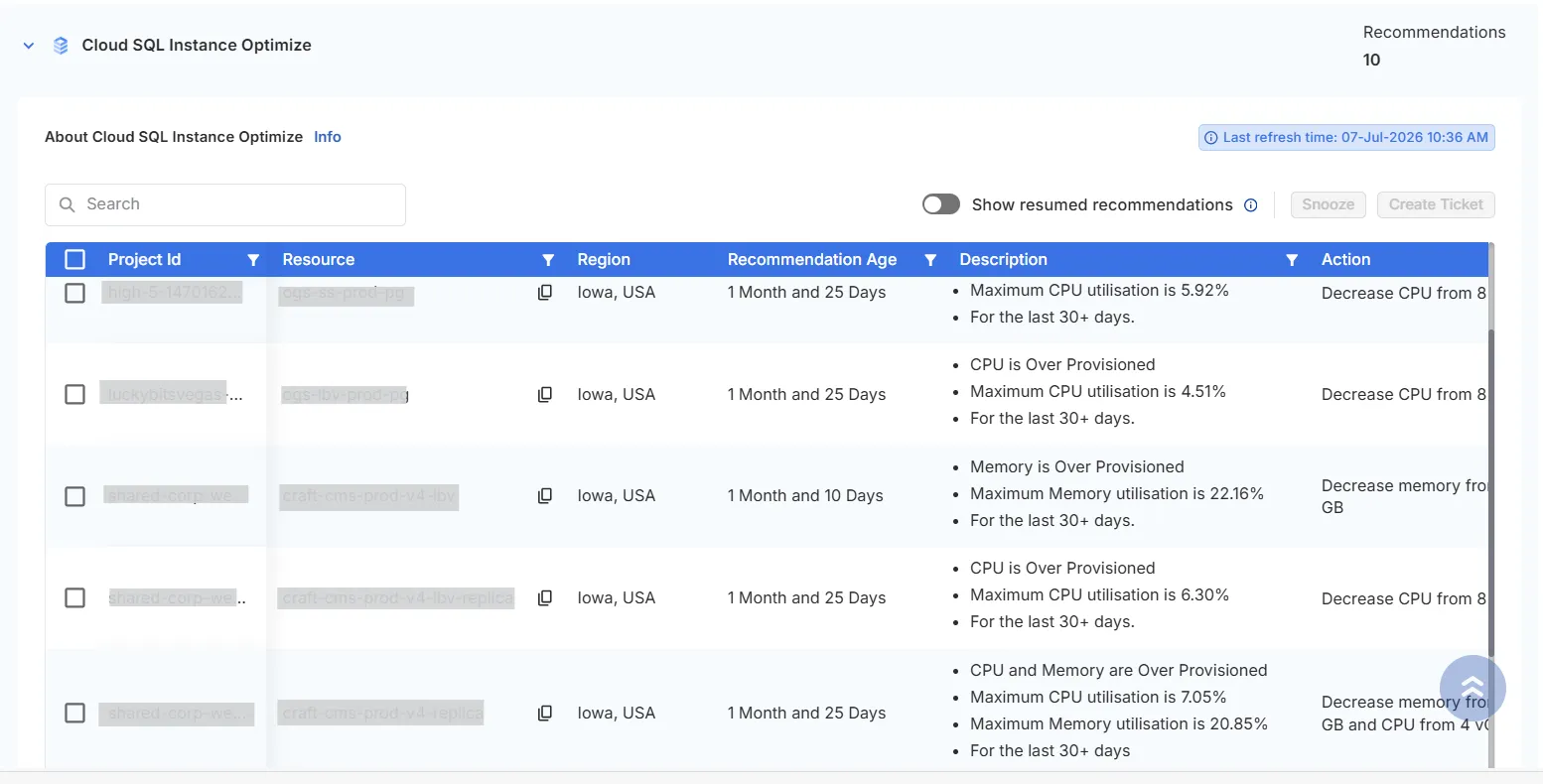
This recommendation detects Cloud SQL instances that are overprovisioned relative to their actual workload.
This recommendation detects AlloyDB instances that are overprovisioned relative to their actual workload.
The primary goal of this recommendation is to reduce unnecessary compute cost by eliminating underutilized instances and optimizing resource allocation.
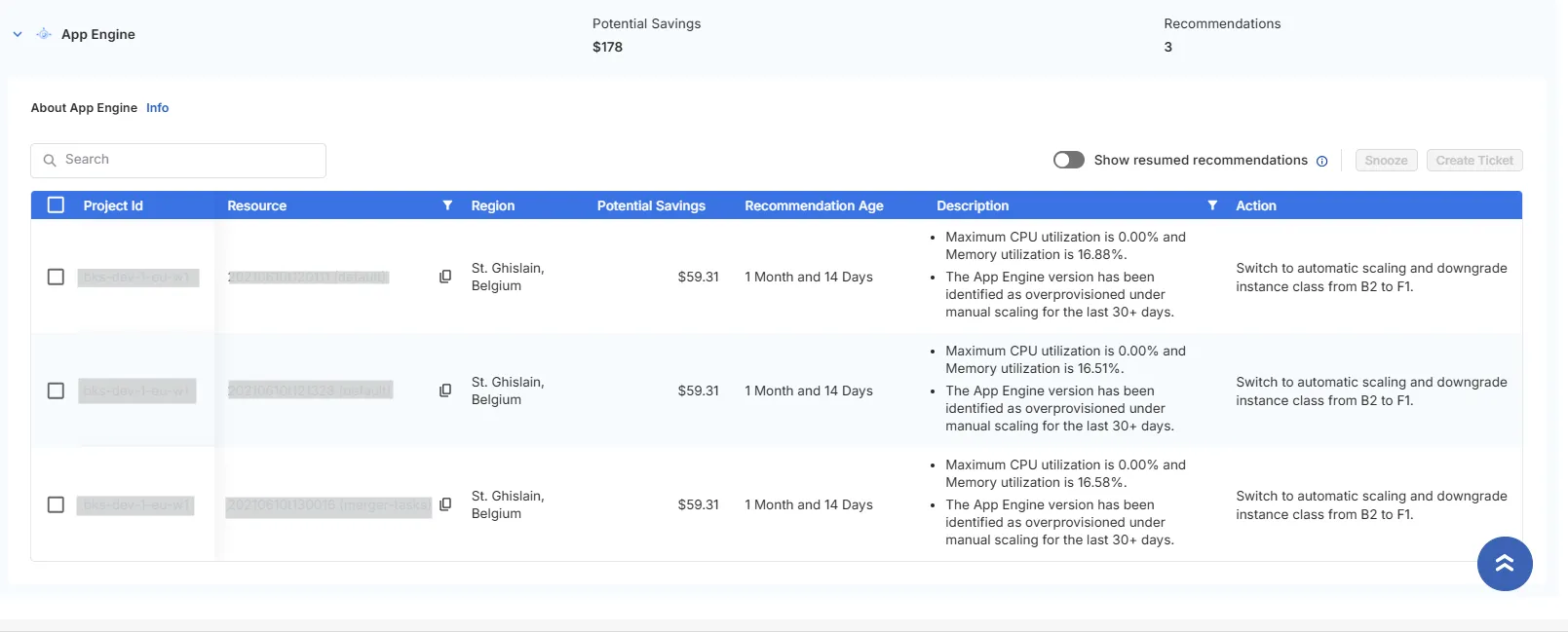
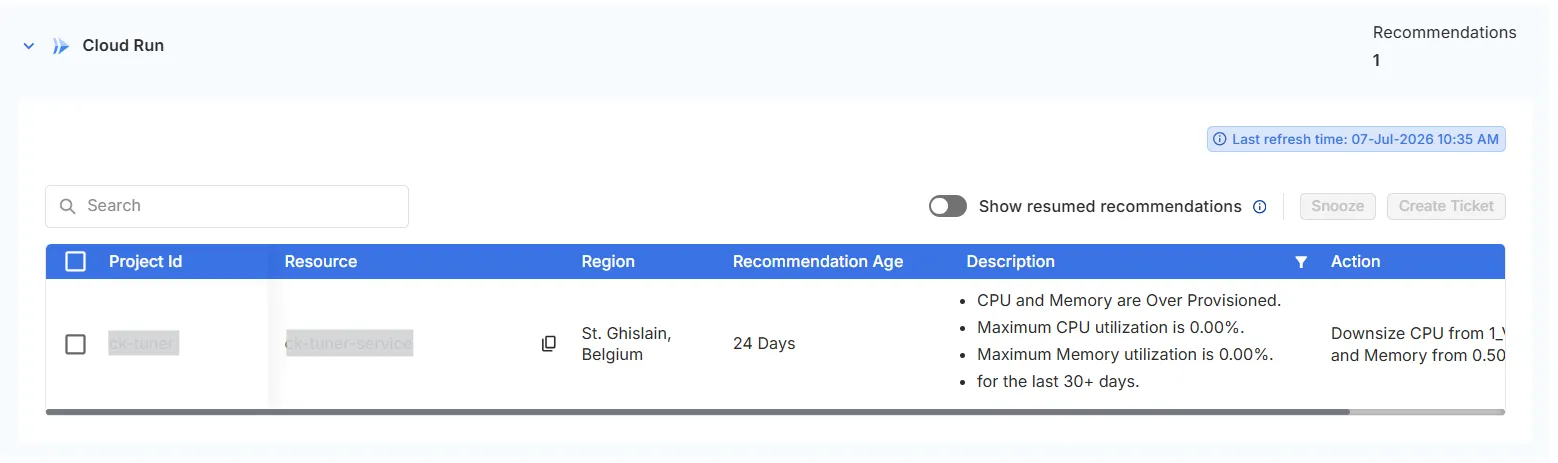
This recommendation detects Cloud Run services whose container configurations are larger than their actual workload requires.
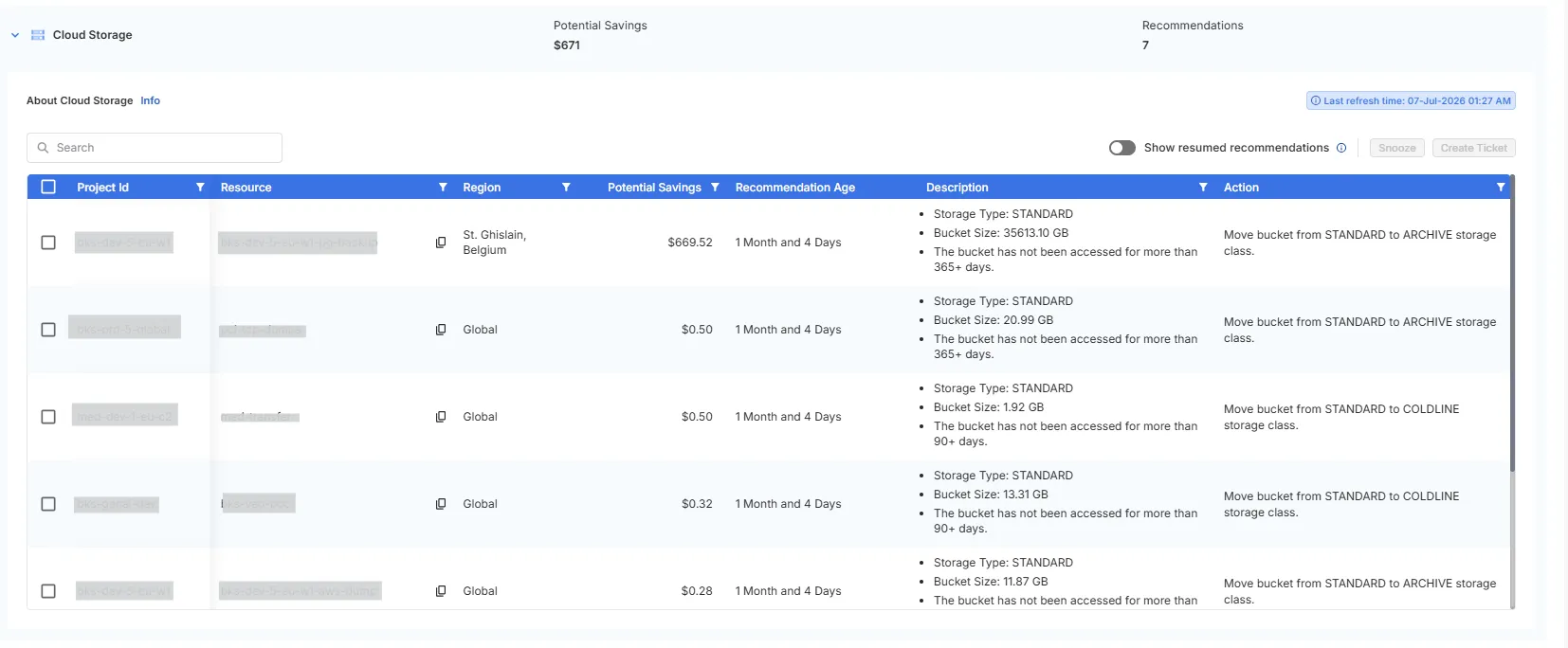
Google Cloud Storage (GCS) costs are determined by the assigned storage class rather than how frequently the data is accessed.
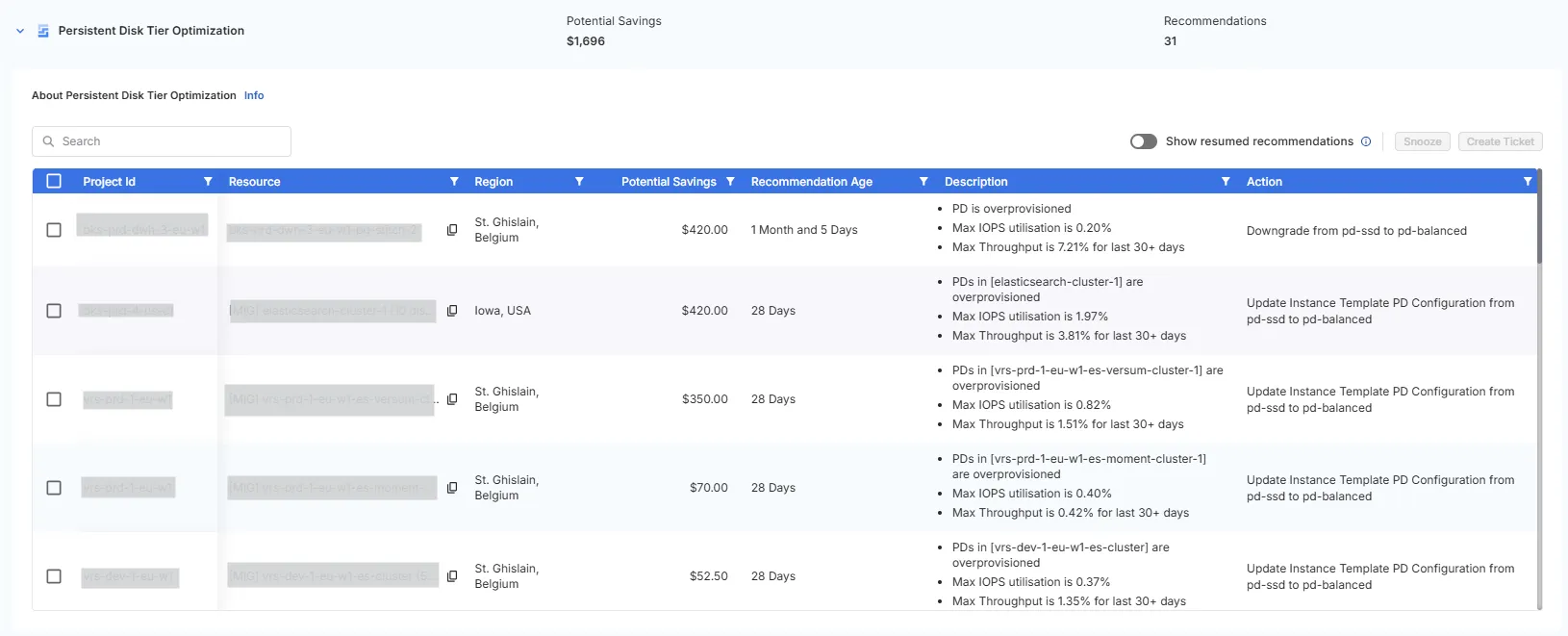
Persistent Disk (PD) in GCP offers multiple storage tiers, ranging from high-performance pd-ssd to general-purpose pd-balanced.
This recommendation focuses on identifying stale AlloyDB backups and recommending their deletion to reduce unnecessary storage costs
This recommendation identifies BigQuery tables that have remained inactive for extended periods and may be suitable for deletion or lifecycle management.














