


DevOps Engineer
Vikas specializes in AWS cloud infrastructure, DevOps engineering, and automation, with a focus on building reliable, scalable, and secure cloud environments.


Find your cloud savings in under 5 minutes

Get a $100 reward on signup


Amazon RDS for MySQL 8.0 reached the end of RDS Standard Support on July 31, 2026. Eligible DB instances may continue under Amazon RDS Extended Support for an additional cost. Customers should upgrade to a supported major version as soon as practical after completing compatibility, rollback and change-window validation.
Upgrade Amazon RDS for MySQL 8.0 to 8.4 with minimal application interruption and a controlled, low-data-loss-risk procedure. The change must proceed only when replication is healthy, switchover guardrails pass, application retry behaviour is validated and the rollback mechanism has been tested
Upgrading a production MySQL database across major versions is one of the most high-stakes operations of a database. Compatibility breaks, unexpected downtime, and the risk of no easy rollback can stall upgrade plans for months. Amazon Relational Database Service (Amazon RDS) for MySQL 8.0 standard support ends on July 31, 2026, and Amazon RDS for MySQL now supports long-term support (LTS) version 8.4.
Amazon RDS for MySQL 8.0 reached the end of RDS Standard Support on July 31, 2026. Eligible MySQL 8.0 DB instances may continue receiving support through Amazon RDS Extended Support for an additional charge, subject to AWS eligibility and supported minor-version requirements. Customers should plan migration to MySQL 8.4 rather than treating Extended Support as the long-term target.
Upgrading RDS for MySQL 8.0 to 8.4. Here, we focus on the step-by-step implementation, covering pre-upgrade compatibility checks, Blue/Green Deployments, and rollback preparation. For an overview of upgrade strategies, Extended Support costs, and key considerations
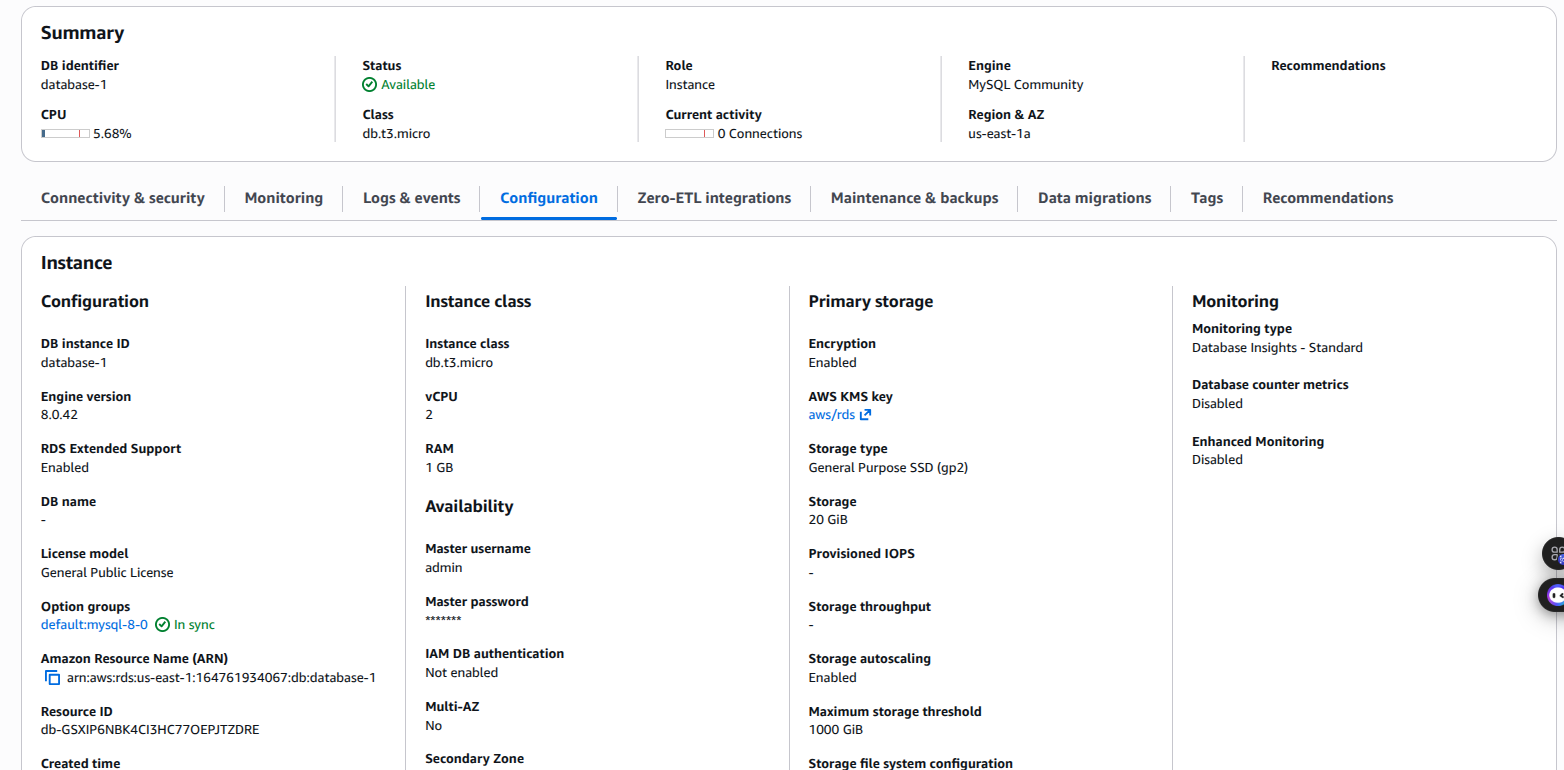
A complete upgrade workflow covering three tightly coupled phases:
Blue/Green Deployments and Amazon RDS for MySQL 8.4 are available in all AWS Regions. Before you begin, make sure you have the following resources in place:
An AWS IAM user or role with at least the following permissions for Blue/Green Deployments:
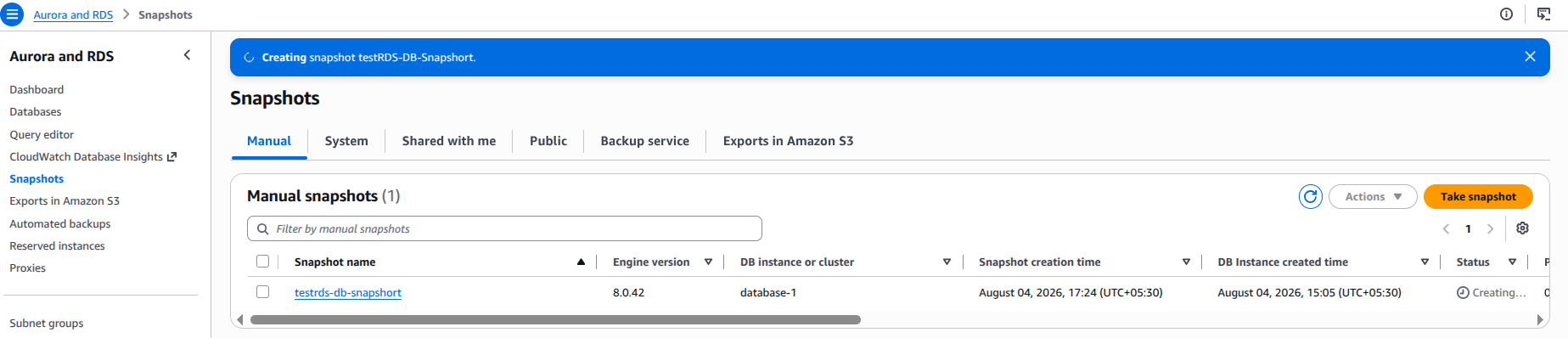
Once both the manual snapshot and automated backup retention are confirmed, you have a safe rollback point before touching anything else.

Amazon RDS Blue/Green Deployments lets you upgrade the major engine version, without affecting production. When you’re ready, you promote the staging environment to become the new production database with downtime typically five seconds or lower for single-Region configurations. This makes Blue/Green Deployments a practical choice for major version upgrades with minimal disruption. The following sections walk you through creating Blue/Green Deployments, upgrading the green environment to MySQL 8.4, and performing the switchover.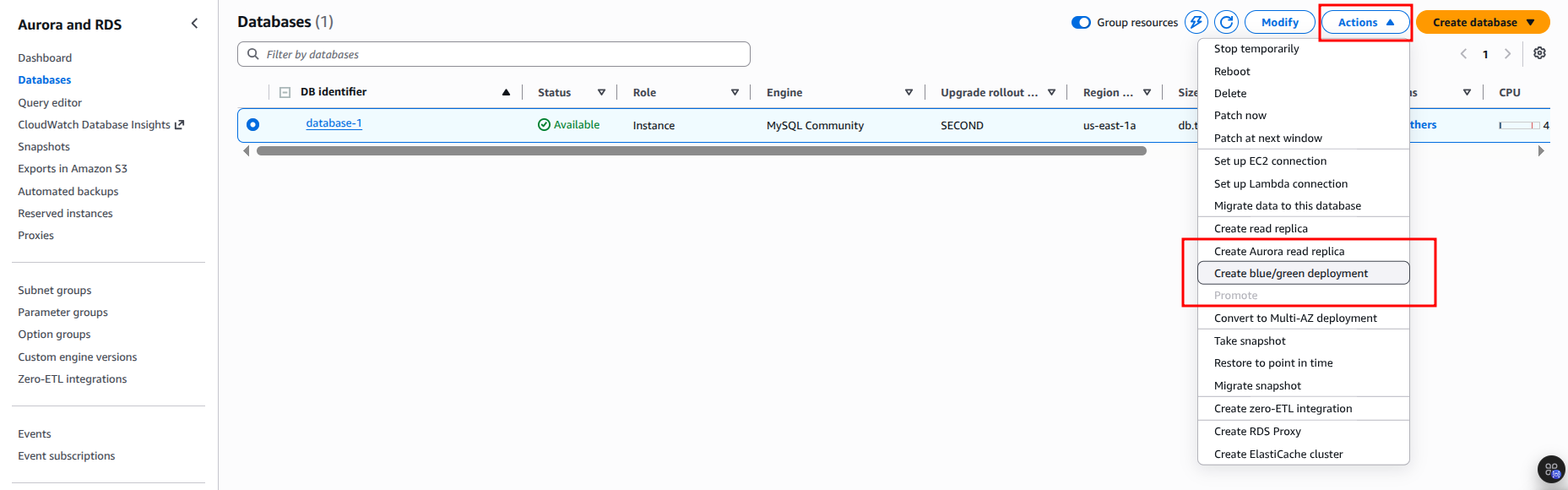
Create the Blue/Green Deployments: Select the same engine version as the source instance initially. This avoids a failed automatic upgrade requiring you to rebuild the entire deployment.
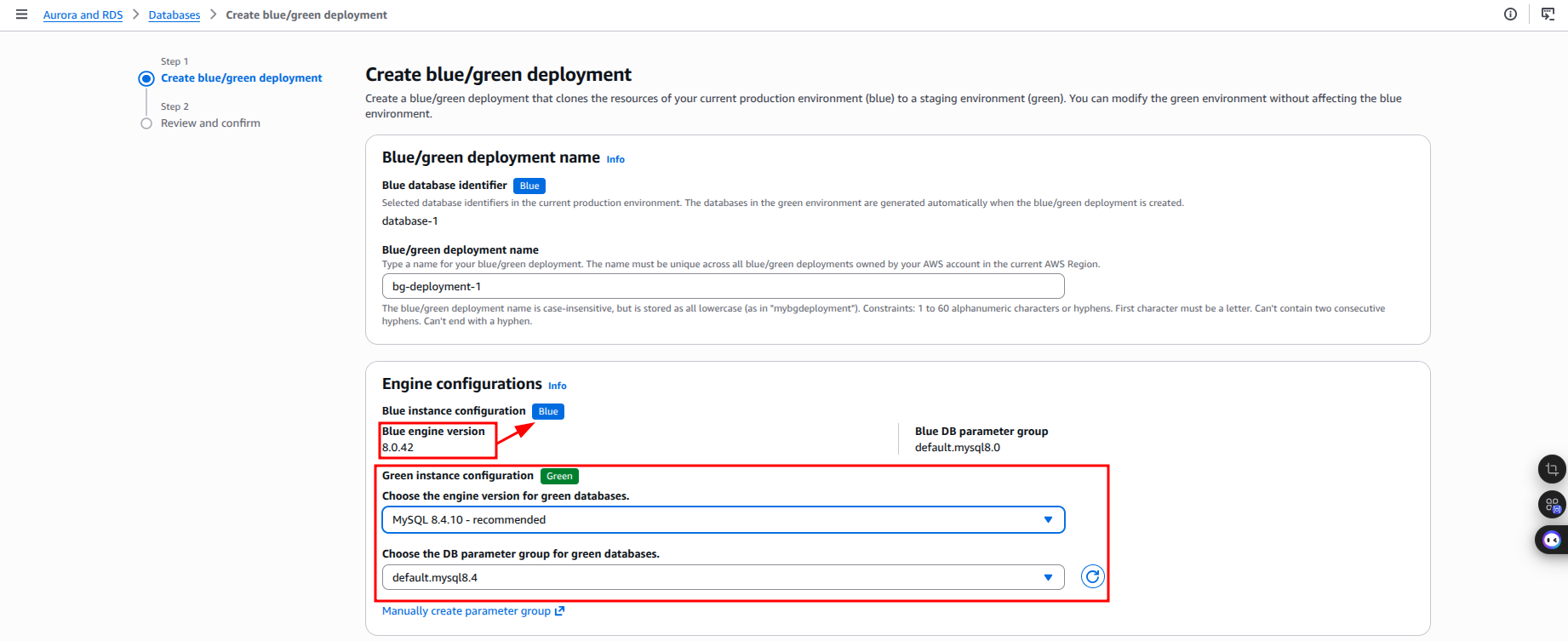
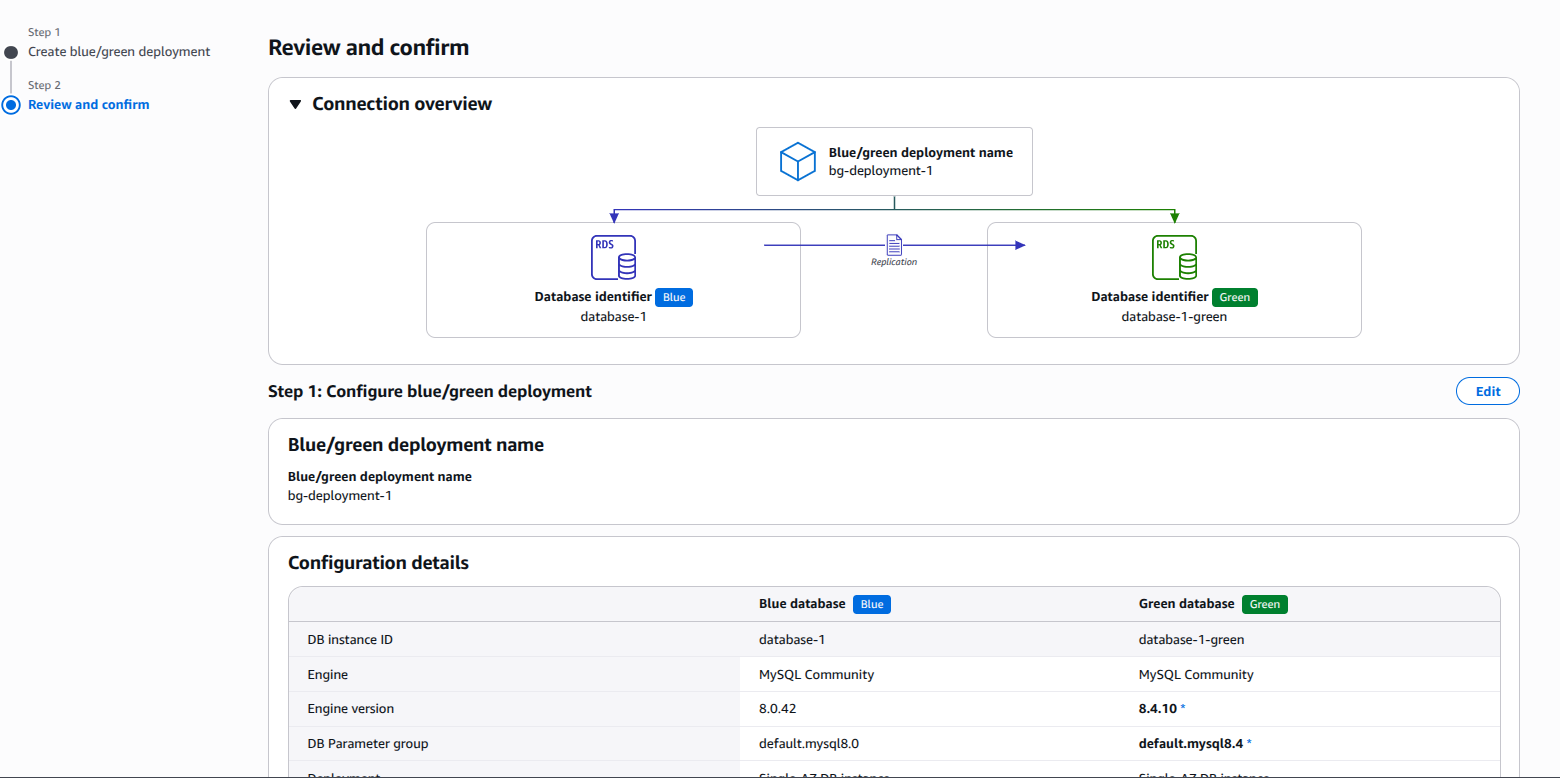
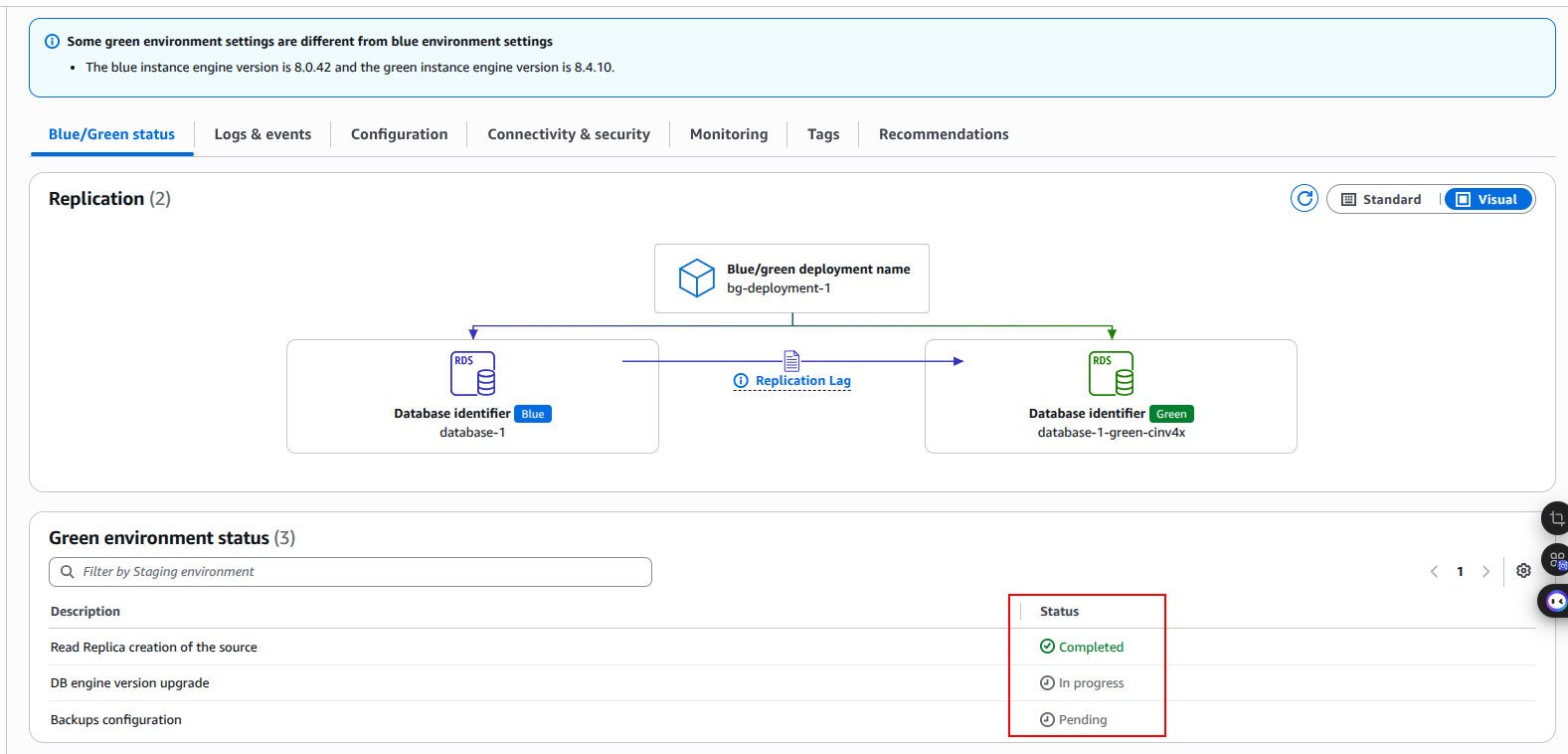
AWS RDS is creating blue/green deployment bg-deployment-1.

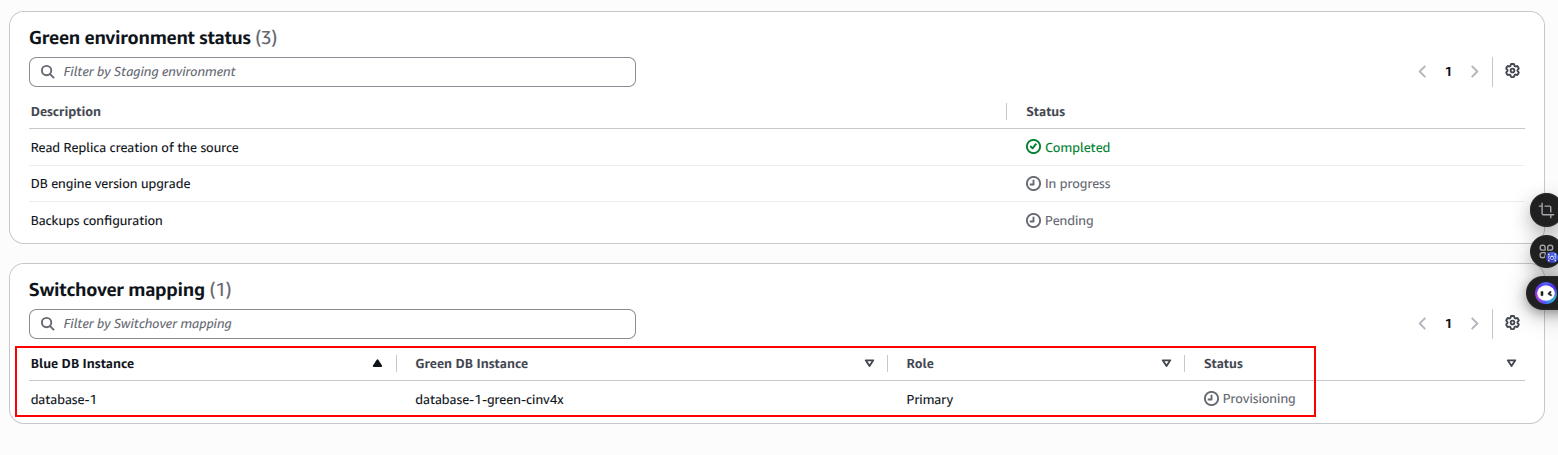
After creation completes, manually upgrade the green instance to MySQL 8.4.x. Select your pre-configured MySQL 8.4 parameter group, or the default parameter group if you’re not customizing any parameters.
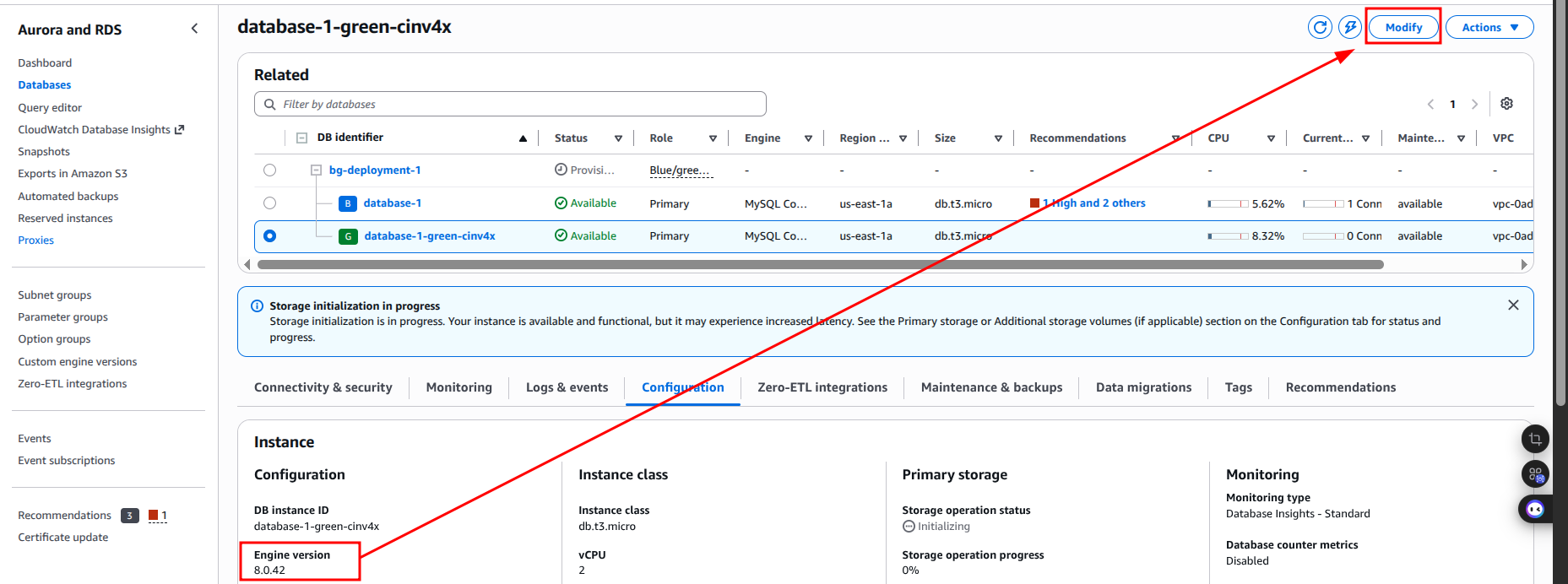
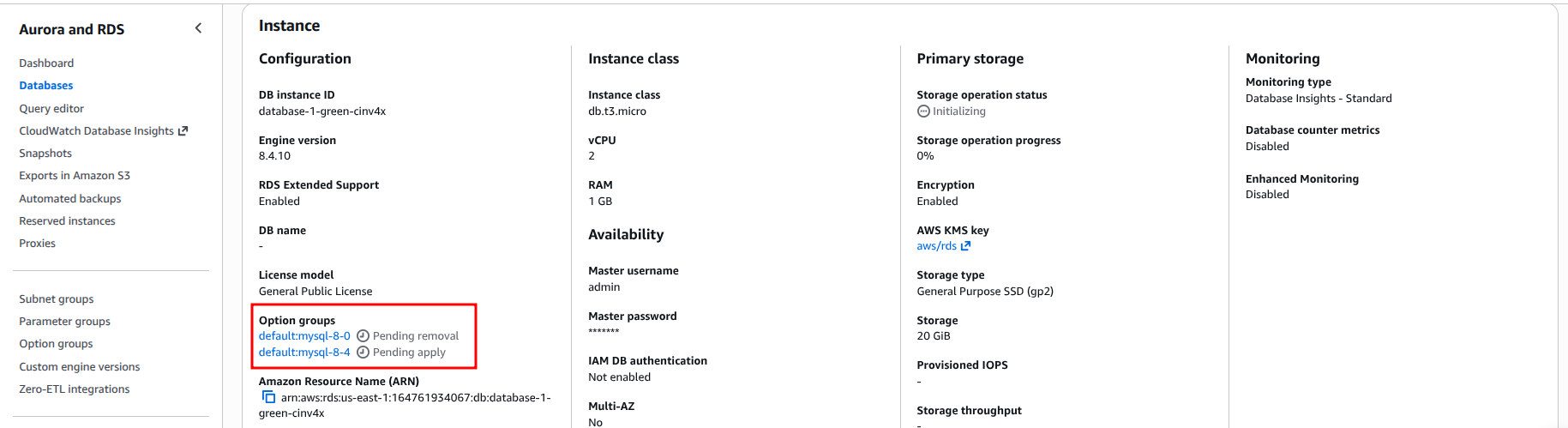
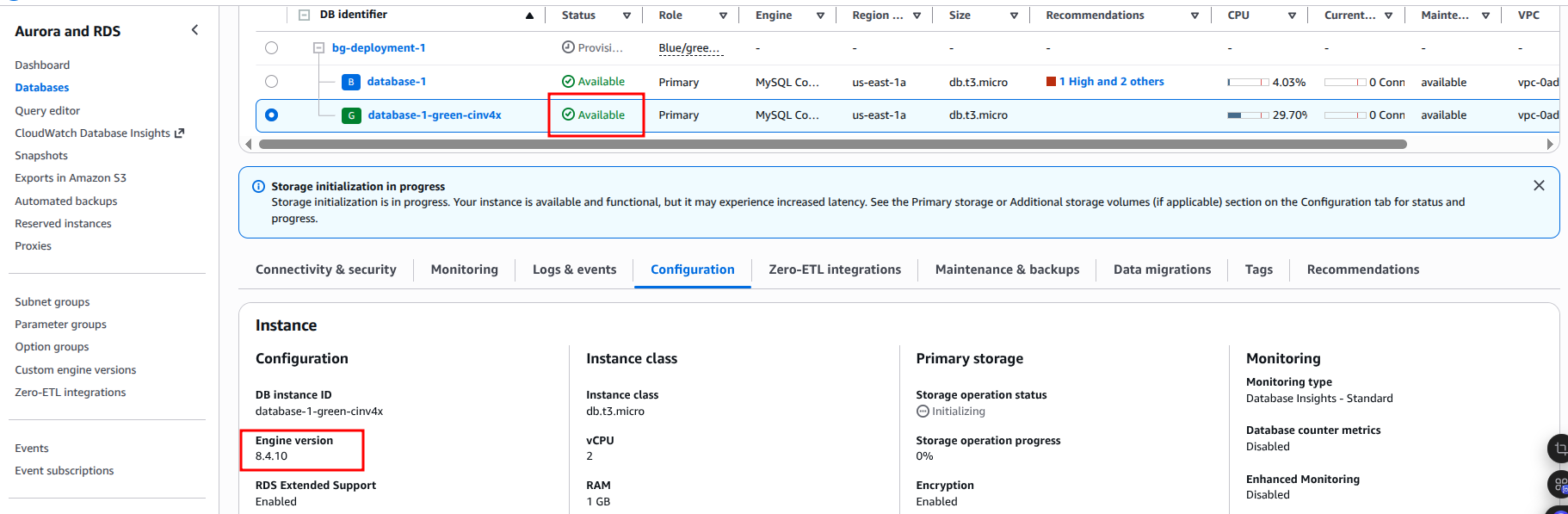
Before switching over:

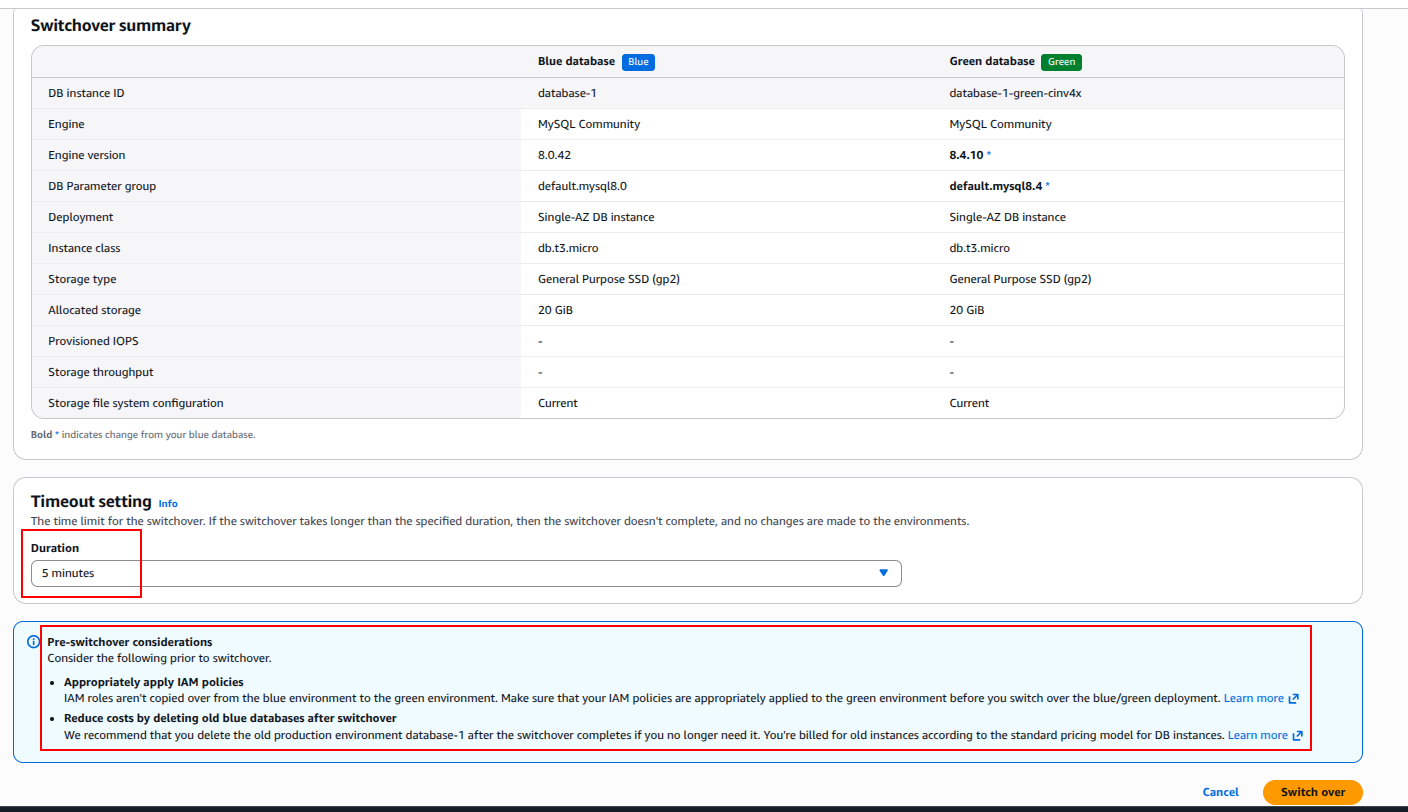
Consider the following prior to switchover.
We recommend that you delete the old production environment database-1 after the switchover completes if you no longer need it.
You're billed for old instances according to the standard pricing model for DB instances.
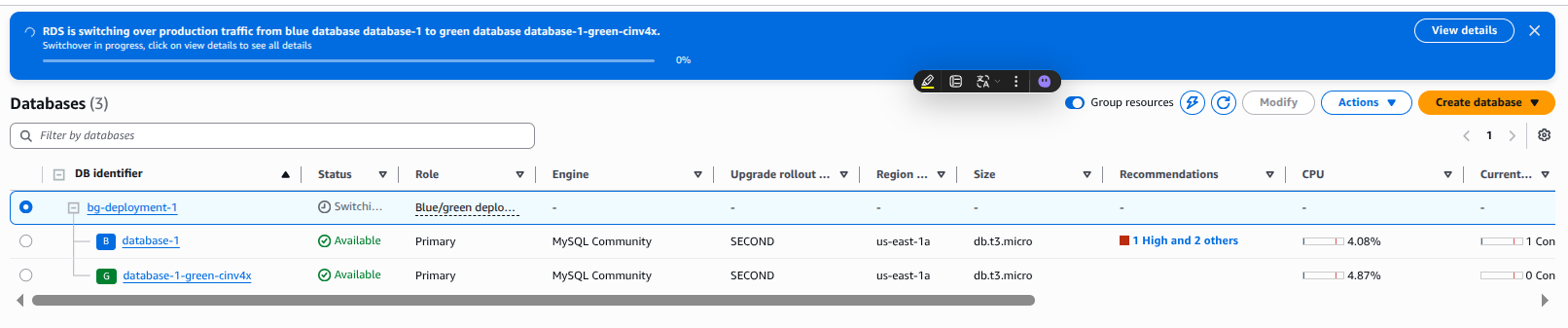

The new MySQL 8.4 instance takes the original name and endpoint. RDS automatically disconnects replication at this point. Blue/Green Deployments is a one-time operation.
You can delete the Blue/Green Deployments at your convenience; doing so does not delete the old instance. If you do not need a rollback path, the upgrade is complete at this point.
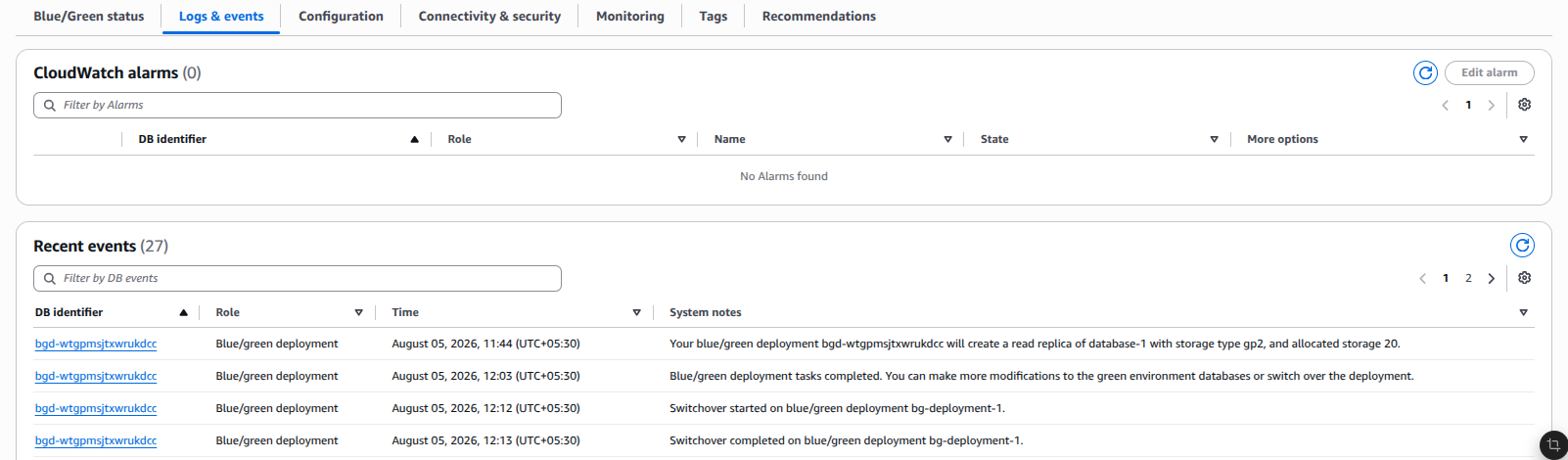
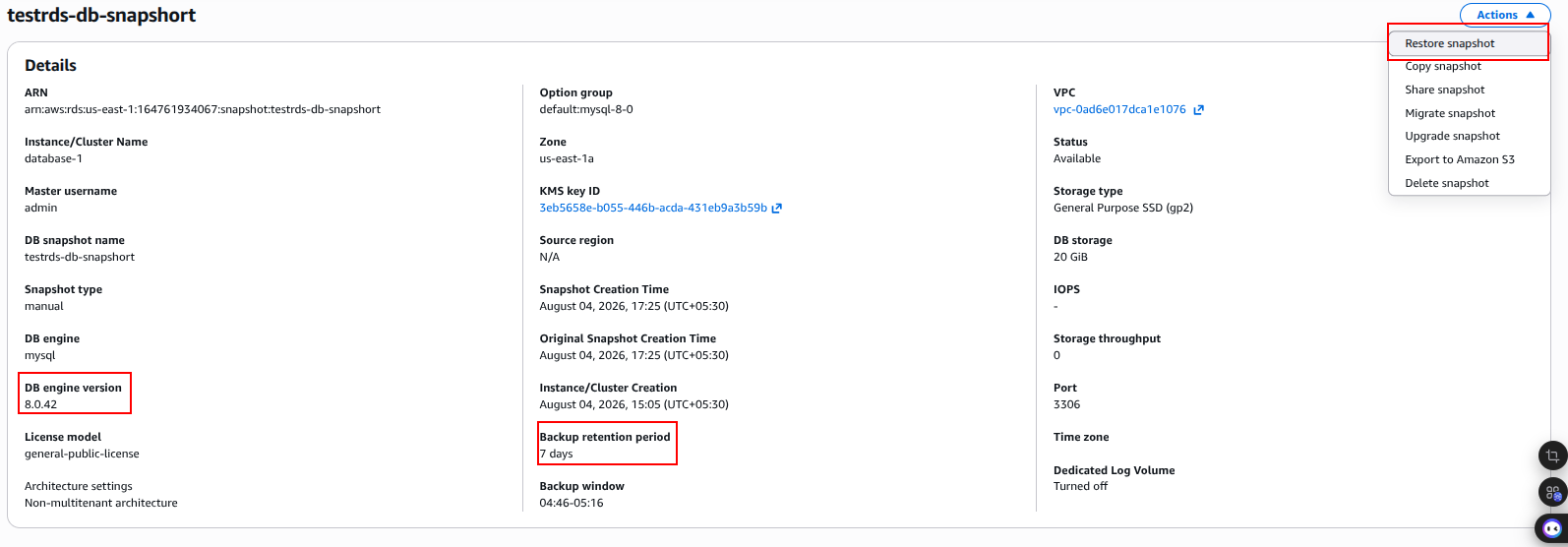
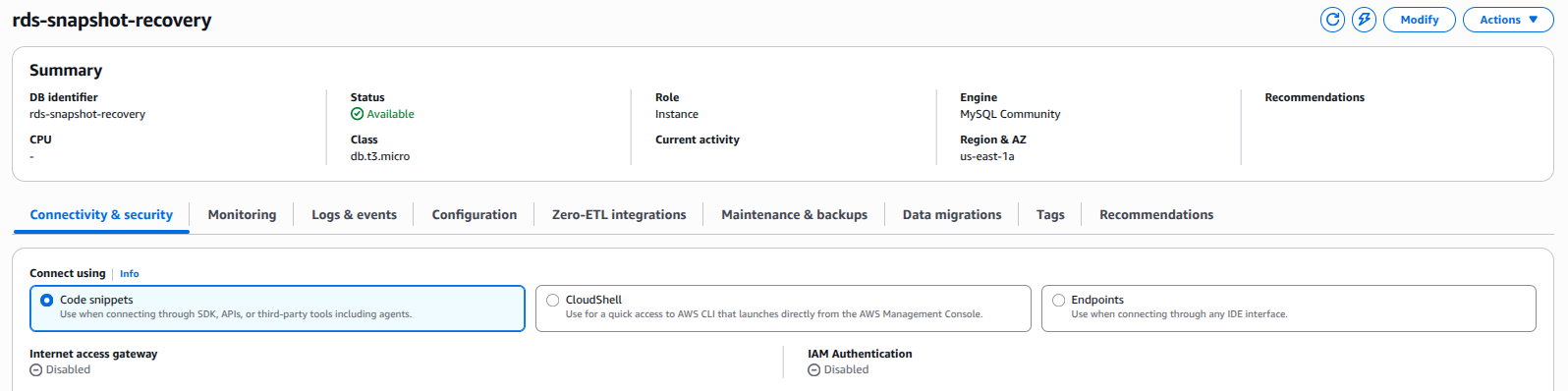
Blue/Green Deployments preserve the previous MySQL 8.0 environment after switchover, providing a strong foundation for rollback. However, Blue/Green switchover itself is a one-time operation. To avoid losing transactions written to MySQL 8.4 after switchover, establish and validate reverse replication from MySQL 8.4 to the old MySQL 8.0 instance before treating the rollback path as ready.
Actual rollback requires stopping application writes, allowing reverse replication to catch up, validating synchronization, stopping replication safely, enabling the old environment for application writes as required, and redirecting application traffic
The disadvantages are:
This is considered a disaster recovery rollback, not a near-zero-downtime rollback.
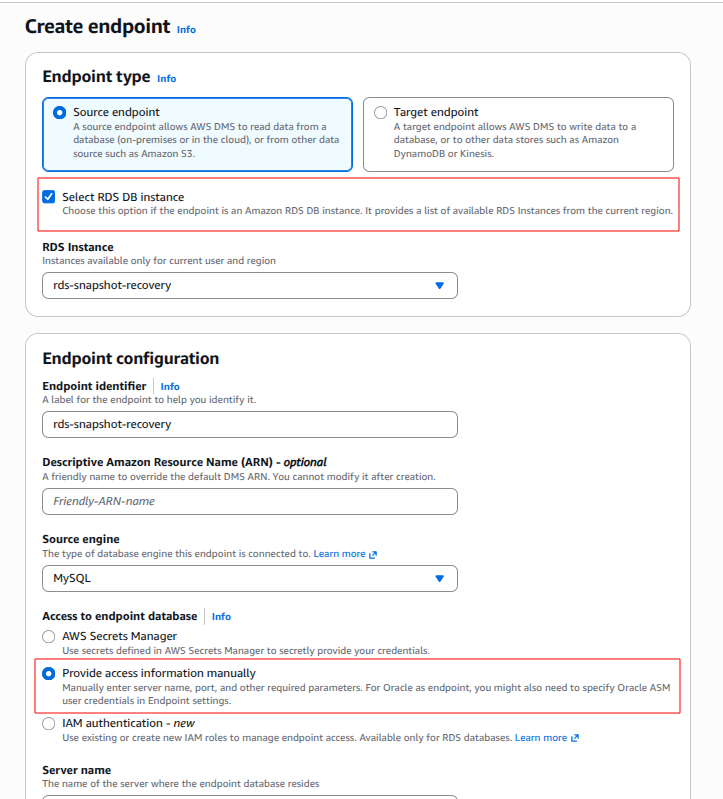
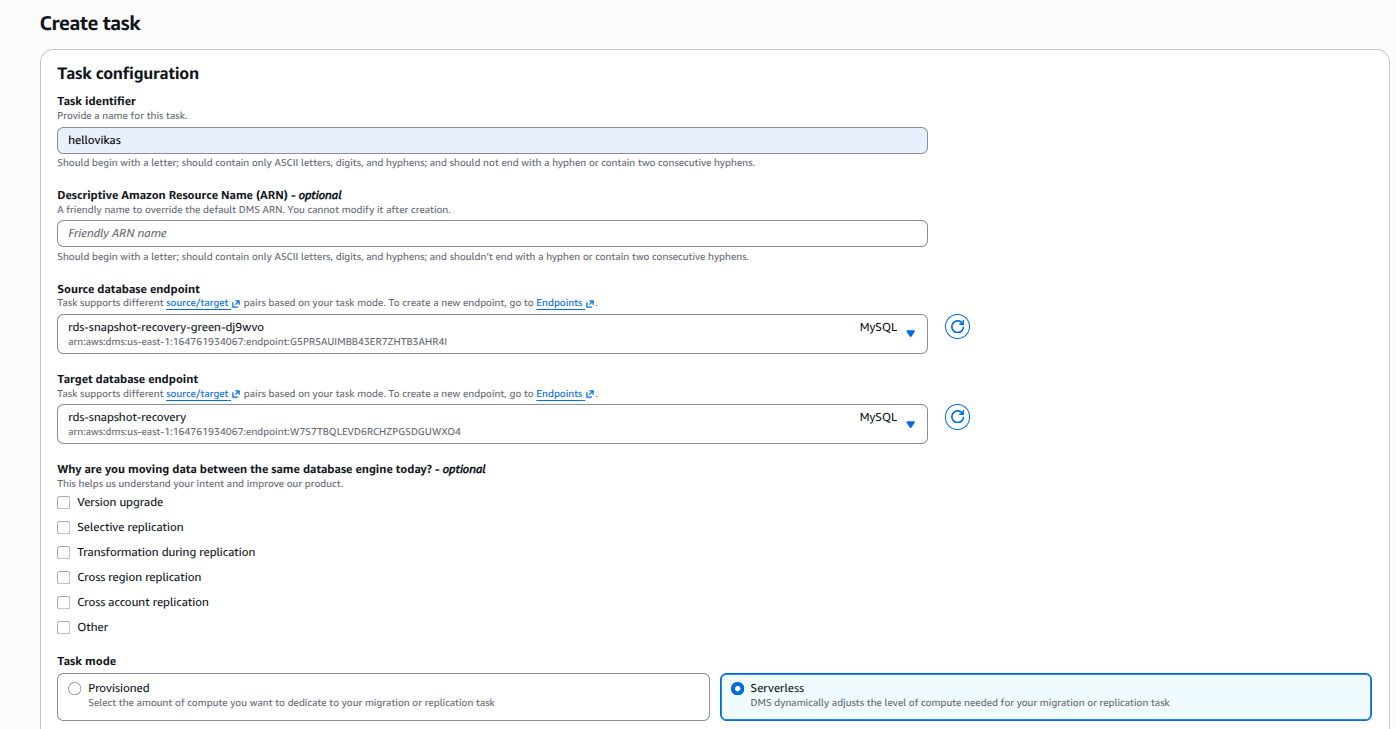
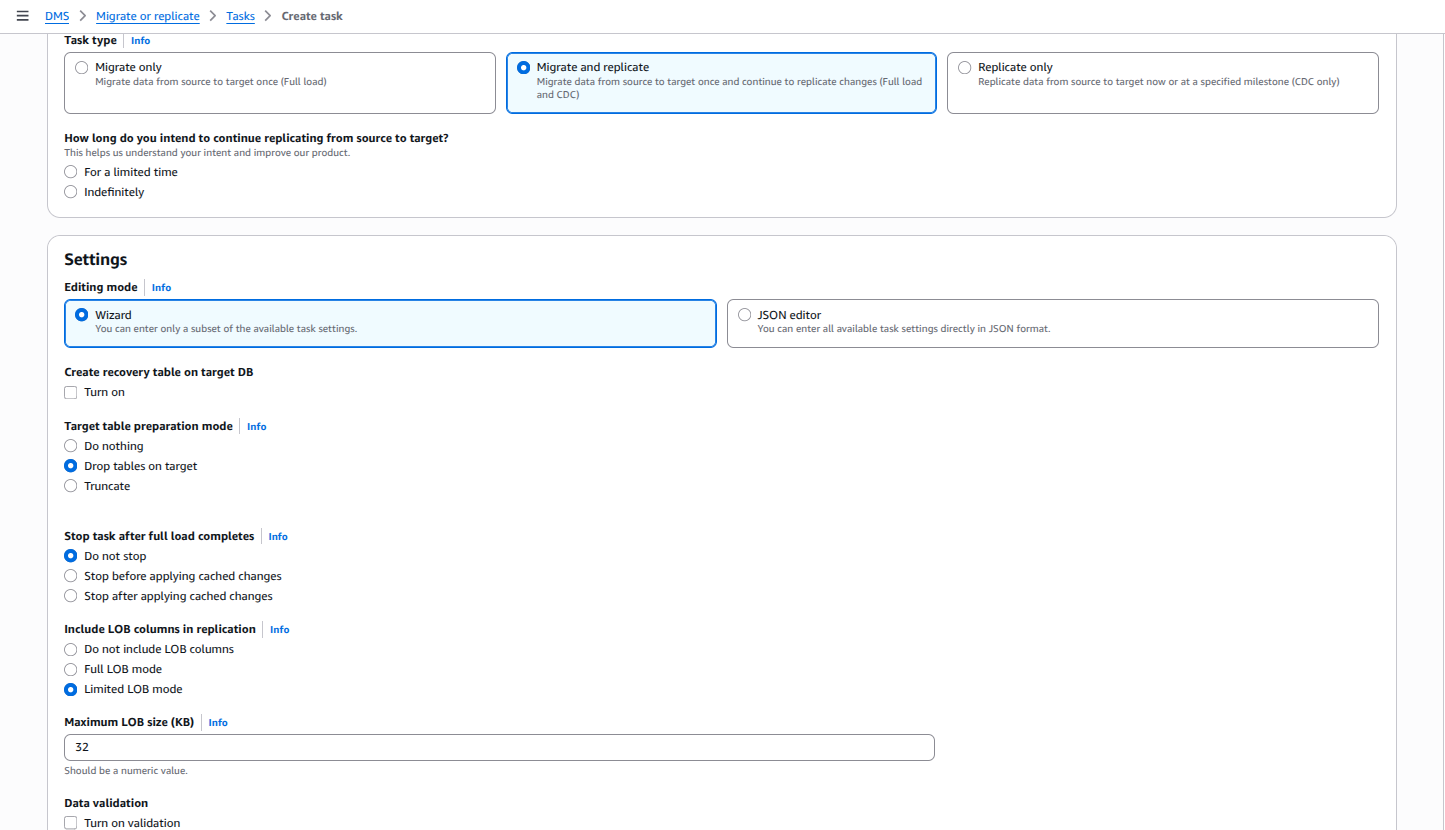
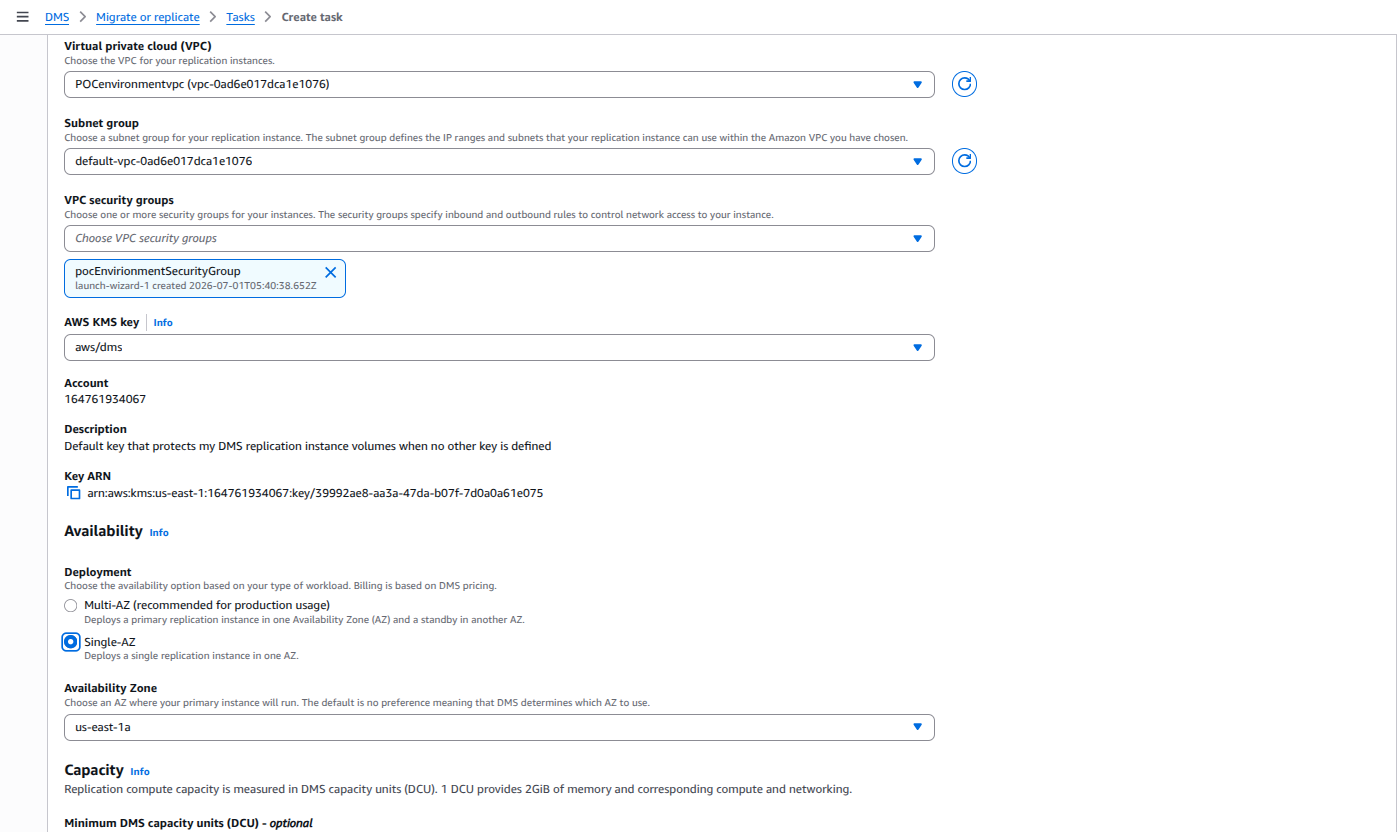
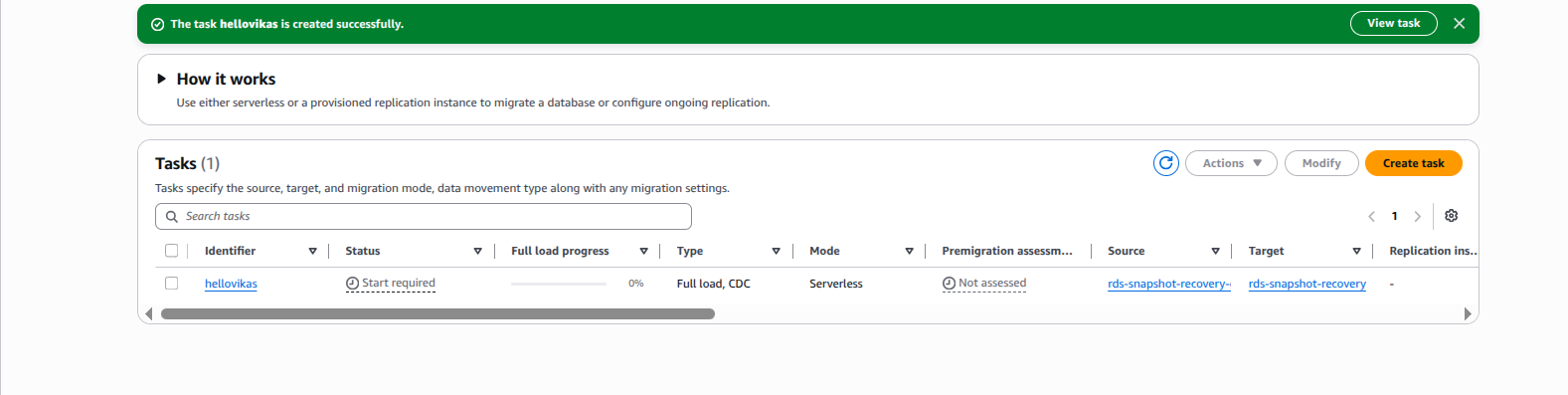
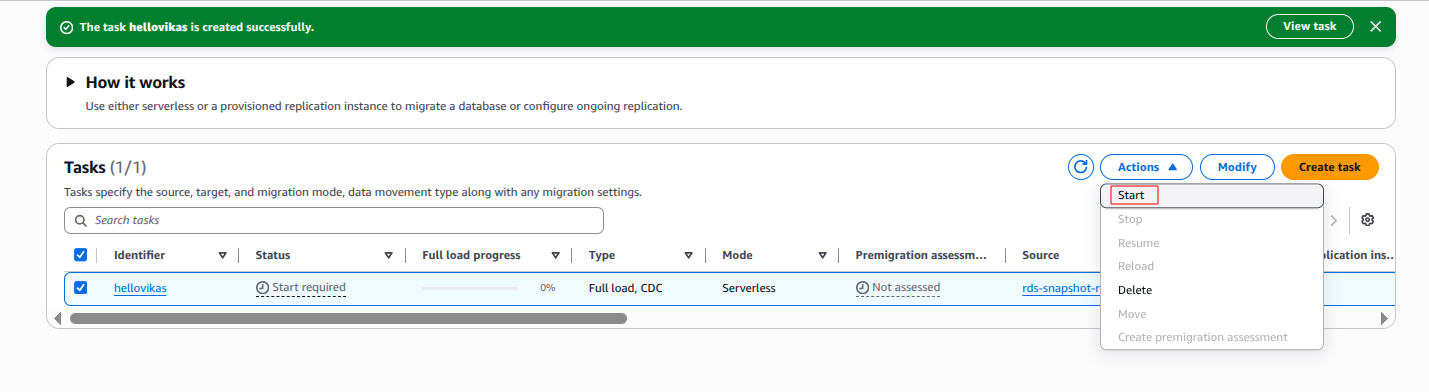
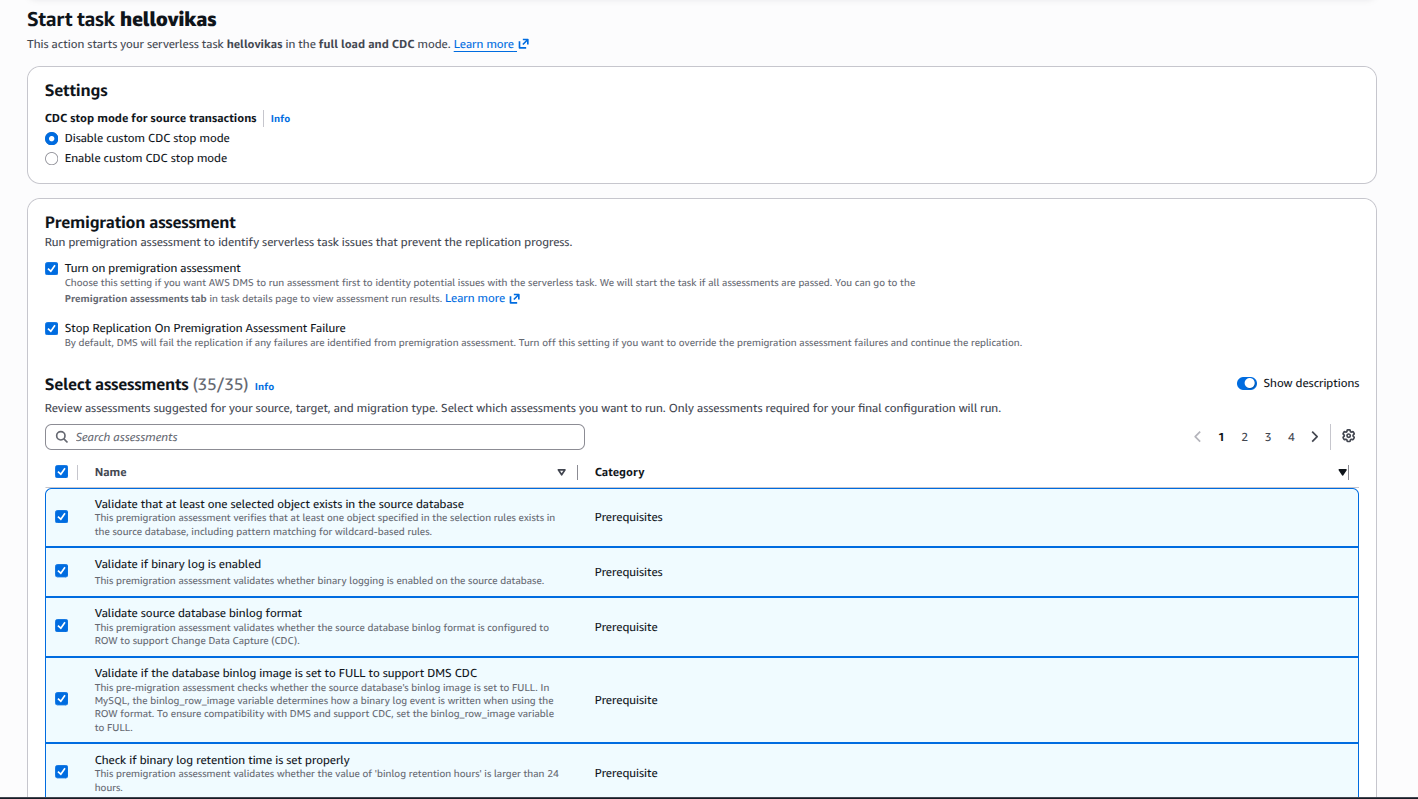
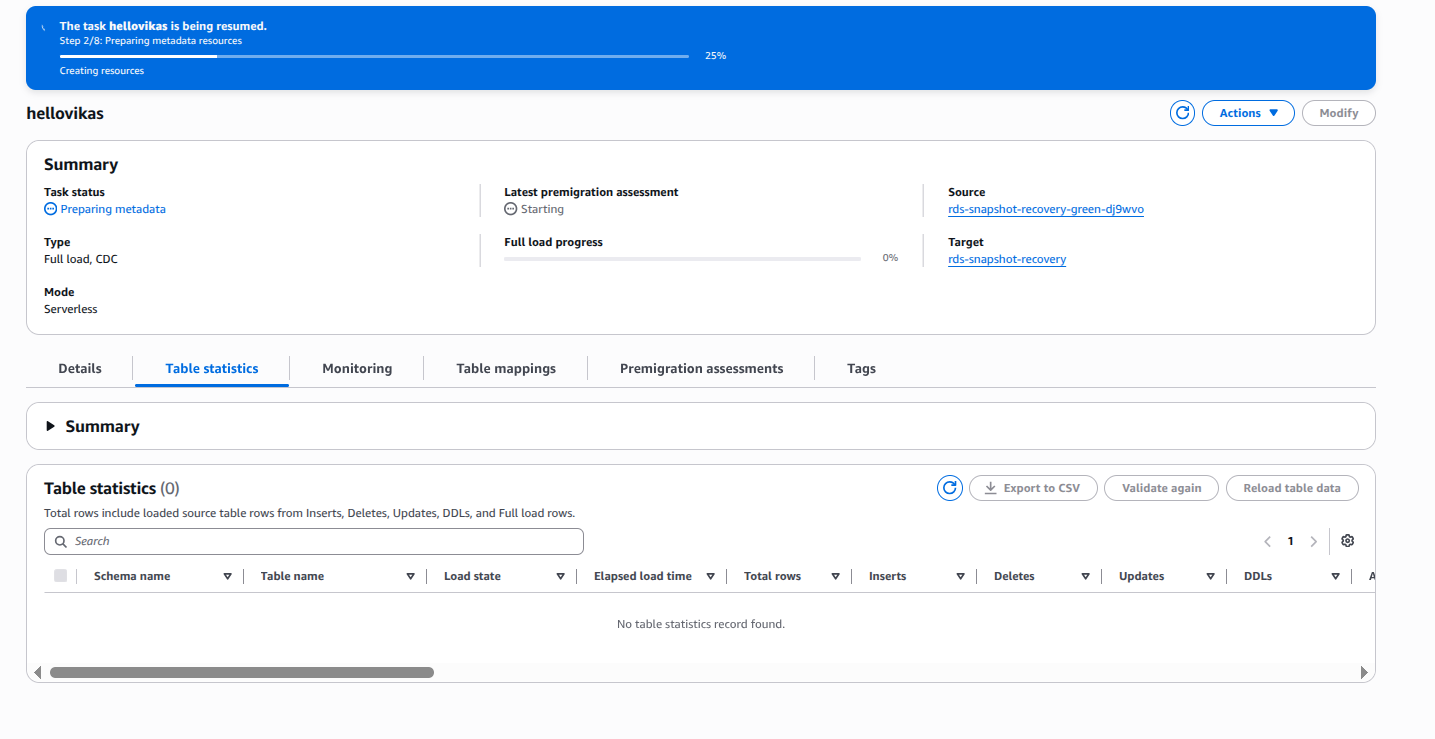
If native replication is not suitable for your environment, you can use AWS DMS as an alternative to set up the rollback path.
Because the MySQL 8.0 -old instance is set to read-only after switchover, change the read_only parameter to 0 in its parameter group before creating the task.

99% of companies saved up to 15% monthly with this plan & achieved peak performance.